Half-Life for old Macs
Half-Life 1 and 25 of its mods on PowerPC and Intel Macs from one universal build, using the open-source Xash3D FWGS engine instead of retail GoldSrc.

The whole port is one Half-Life.app holding three CPU slices, two PowerPC and one Intel, and macOS loads the right one at launch. A second app installs 25 Half-Life mods and makes them work with it.
It runs on a 450 MHz G3 on Panther 10.3.9, two G4s and a G3 on Tiger, an iMac G5 on Leopard, a Core 2 Duo Mac mini on Lion, and an M5 MacBook Air on macOS 26 through Rosetta 2. There is no native Apple Silicon build.
The engine, menu and game code are all other people's work (see credits). My part is the build scripts, the patches, the installer app, the per-machine config and the testing. The porting work was done with AI (Claude Code) under my direction, and I tested every build on the machines.
# Get the build
| Bundle | Runs on |
|---|---|
| Half-Life-OldMac-v1.4.0.dmg | Panther 10.3.9 to modern macOS (PowerPC and Intel) |
Mount it, copy Half-Life.app into a folder anywhere, and drop your own valve/ folder in beside it from a Steam or disc copy of Half-Life. That is the whole install. Nothing needs merging, because everything the port builds stays inside the app, so a newer build can be swapped in without touching your saves. No game assets are included.
Two companion apps sit on the same disk image. Half-Life Mods.app has to be copied into that folder too before it will do anything, because a disk image is read-only and nothing can be installed while it runs from one. Half-Life System Report.app runs straight off the image.
# Mods
Half-Life Mods.app installs 25 mods next to Half-Life.app: Blue Shift, Opposing Force, They Hunger, Poke 646, Echoes, Residual Point and the rest. They show up under Custom Game in the main menu with artwork and a blurb, and run on PowerPC as well as Intel.
The content is not mine. It comes from thedoctor45's Half-Life for Mac (Mods included) on Macintosh Garden, a 2.6 GB collection of 26 mods they gathered, tested and packaged. Gathering that is the hard part and it is their work. Their builds need an Intel Mac on 10.5.8 or later, so if all your Macs are that, use them directly rather than any of this.
A mod is content plus the game code that drives it, and only the code has to be rebuilt. Maps, models and sounds are the same on every platform. The code is about 3% of the bulk, and the collection's copy of it is 32-bit Intel, which runs on neither a PowerPC Mac nor a 64-bit Intel one. So the app takes the content and supplies the code: it copies the maps, models, sounds and liblist.gam, throws away the libraries it cannot use, and drops in a fat ppc + x86_64 pair built from that mod's own hlsdk-portable branch. That is why it installs a fixed list and not any mod you point at it. No build, no code to supply.
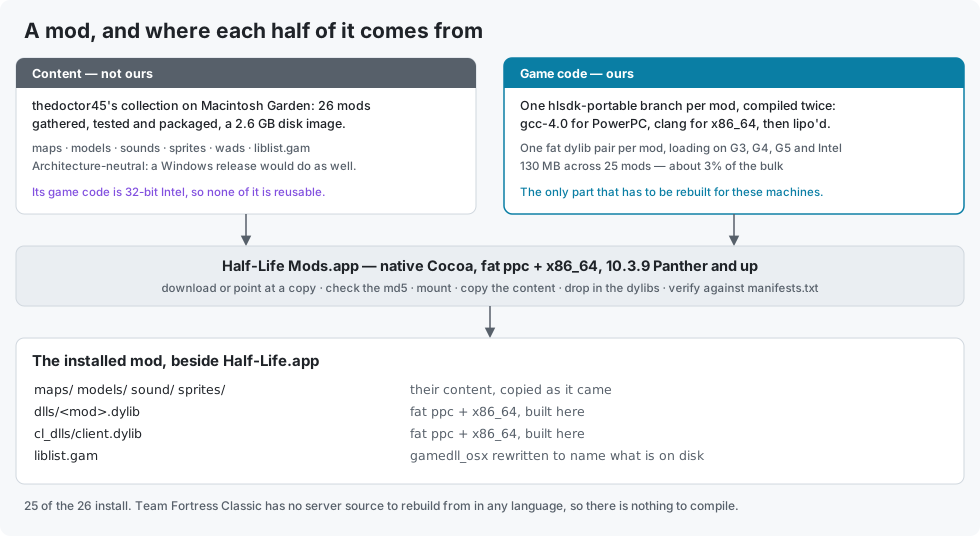
One of the 26 is missing. Team Fortress Classic cannot be done: no open TFC server implementation exists for GoldSrc in any language, so there is nothing to rebuild from. It is tracked and closed as not achievable in issue #13.
There are two buttons. Get Mods downloads the collection and installs the lot unattended, and wants about 6.5 GB free for the download plus what it expands to. Choose... does the same job from a copy you already have, and takes the .dmg, the folder holding it, an already-mounted volume, or a single mod lifted out of it. Both are resumable: cancel or quit part way and running it again carries on, skipping finished mods and refreshing only their game code. Each mod is staged as <gamedir>.partial and only moved into place once its file and byte counts match manifests.txt, so an interrupted run never leaves a half-copied folder that Custom Game would happily list.
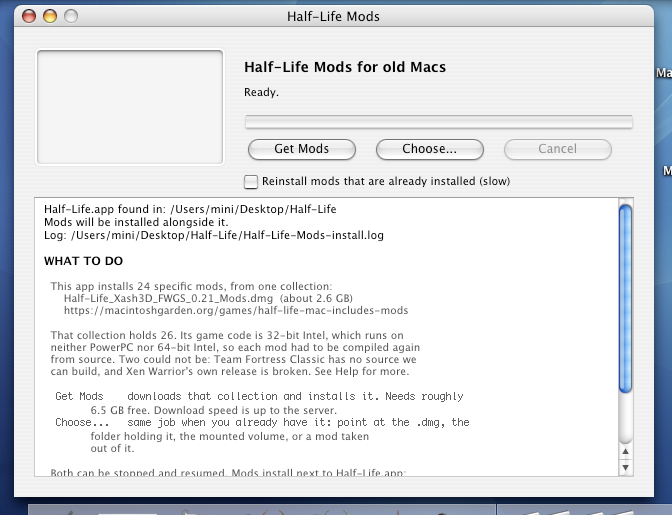
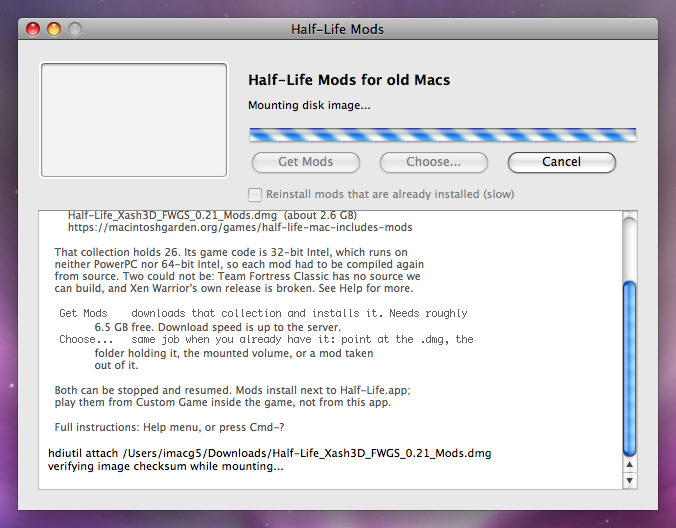
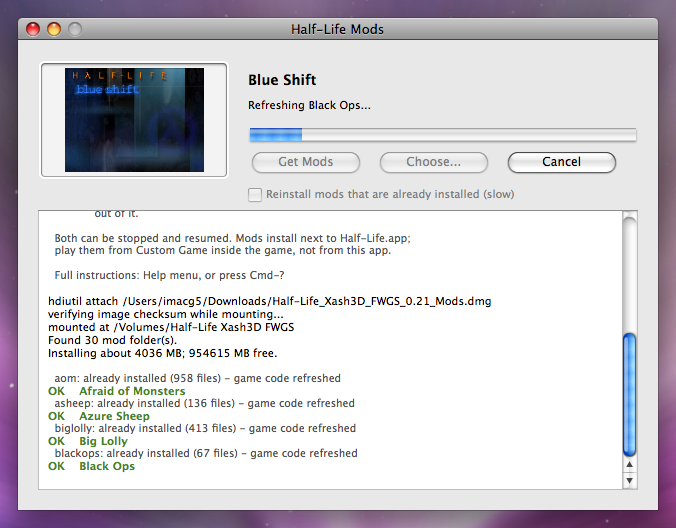
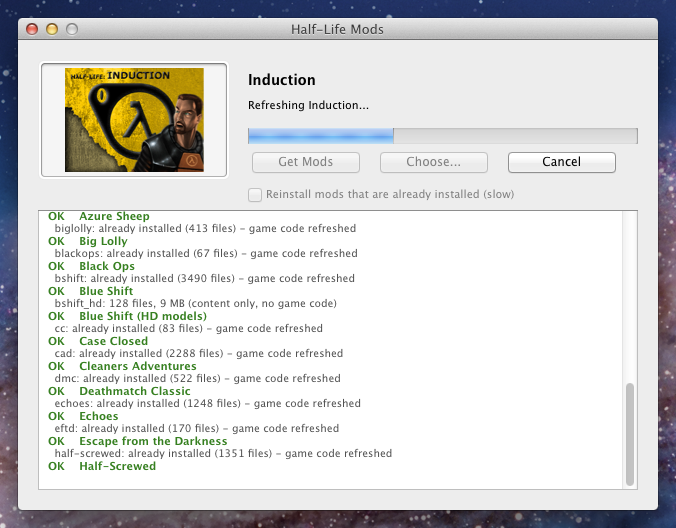
The blurb visible in those predates Xen Warrior joining the list, so it still reads 24.
Carbon was never ported to 64-bit, so a Carbon app could not have produced the x86_64 slice at all. Hence Cocoa, with no nibs and nothing beyond Cocoa itself. Targeting 10.3 then rules out most of it: no @property, no fast enumeration, no NSInteger, no blocks or GCD, no ARC. Compiling against the 10.3.9 SDK is what keeps that honest, and it caught two 10.5-only methods that compiled fine for Intel and would have crashed on the old machines.
Downloading is plain HTTP with Range: resume over raw sockets, which is a constraint rather than a choice. PowerPC has no TLS in this project and 10.3 to 10.7's system TLS cannot negotiate the ciphers modern hosts want, so an https:// URL could never work on the target machines. The engine's own HTTP client was no use either: its size field is an int, and so is any 32-bit byte counter, which a file that size overflows.
The app also refuses to copy the packaging machine's leftover state, which turns out to matter. The collection was assembled by running each mod on a Yosemite i386 Mac, so every folder carries that machine's video.cfg asking for 1200-line fullscreen, its config.cfg keybinds, and its savegames. On a G3's Rage 128 that resolution is exactly what the launcher profile exists to avoid, those keybinds are the long-running "arrows don't work, only WASD" reports, and saves are written native-endian so i386 ones are garbage on PowerPC.
The full write-up is in docs/MODS.md, and the installer has its own README.
# Framerate
Map c0a0 at 800×600, median of three runs. The world is normally drawn in two passes, one for the base texture and one for the lightmap. On a GPU with two texture units, which all of these have, it can be done in one multitexture pass instead. That's the difference between the last two columns.
| Machine | CPU | GPU | macOS | Two passes | Single pass |
|---|---|---|---|---|---|
| yosemite | G3 450 MHz | Rage 128 | 10.3.9 Panther | 25.4 | 33.1 |
| mini-g4 | G4 1.25 GHz | Radeon 9200, 32 MB | 10.4.11 Tiger | 47.5 | 53.5 |
| quicksilver | G4 733 MHz | Radeon 9000, 64 MB | 10.4.11 Tiger | 52.4 | 54.1 |
| imac-g5 | G5 2.0 GHz | Radeon 9600, 128 MB | 10.5.8 Leopard | 86.8 | 95.8 |
| mini-intel | Core 2 Duo 2.33 GHz | GMA 950 | 10.7.5 Lion | 102.5 | 120.7 |
Single pass is on by default. The G3 is fillrate-bound on its Rage 128, so halving the fill work takes it from 25 to 33 fps, about 30%. It disables itself on a GPU with fewer than two texture units. The G5 row was measured windowed, the rest fullscreen, and on the ppc970 slice the G5 had at the time. Live numbers are in benchmarks/results.csv.
Every machine renders with hardware OpenGL. The software renderer stays in the bundle as an automatic fallback if a GPU's GL path fails.
# Screenshots
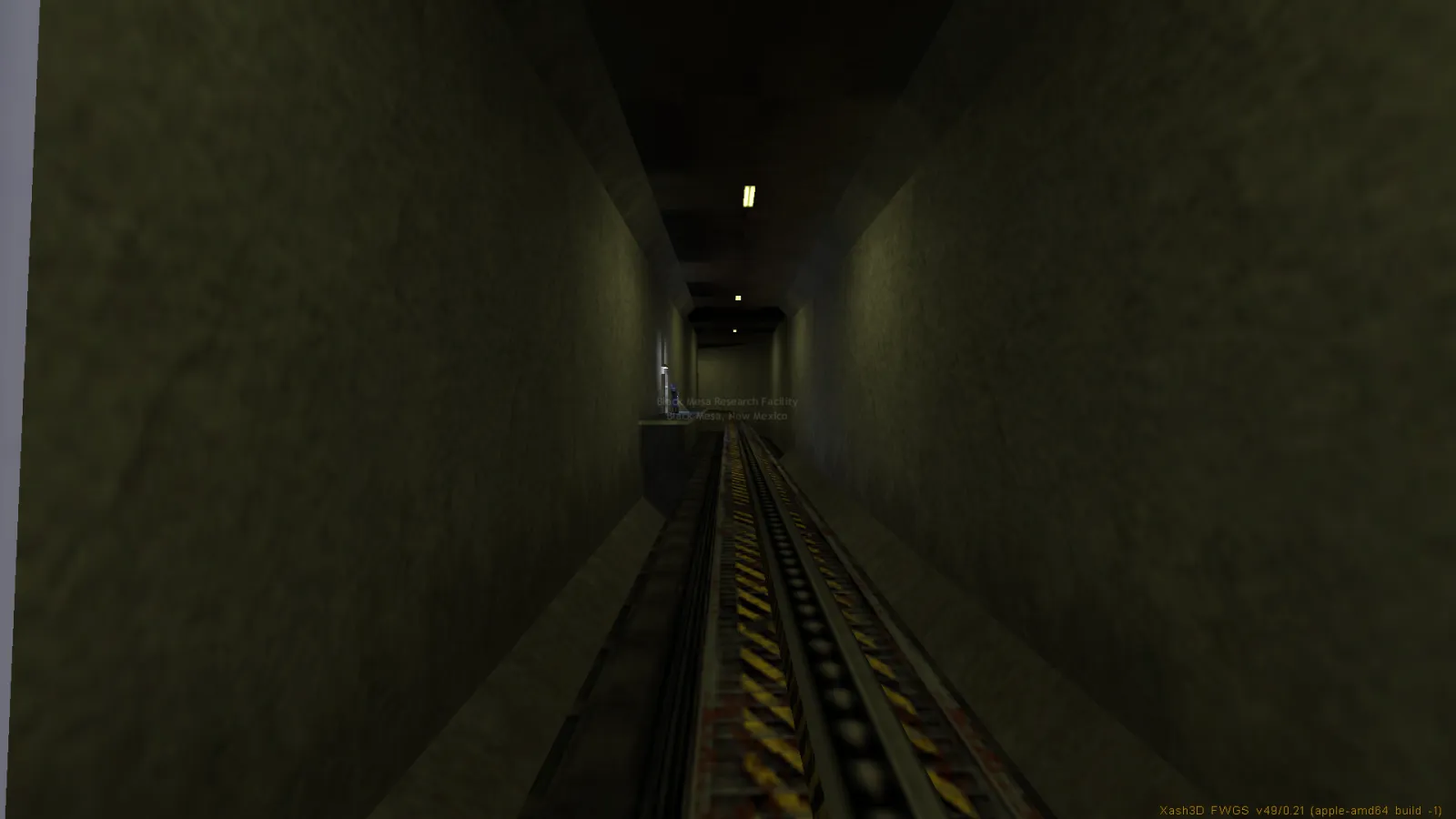
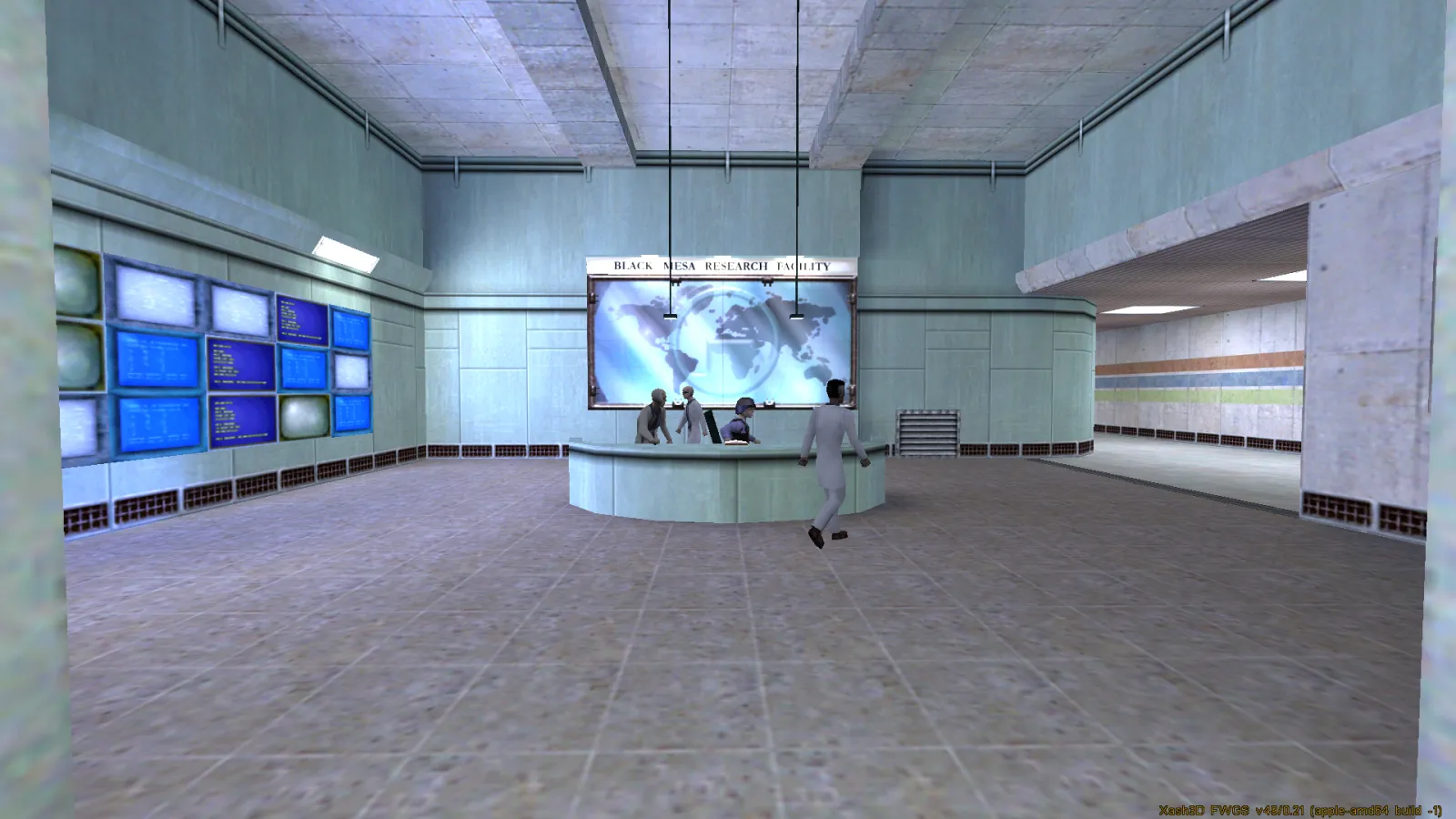
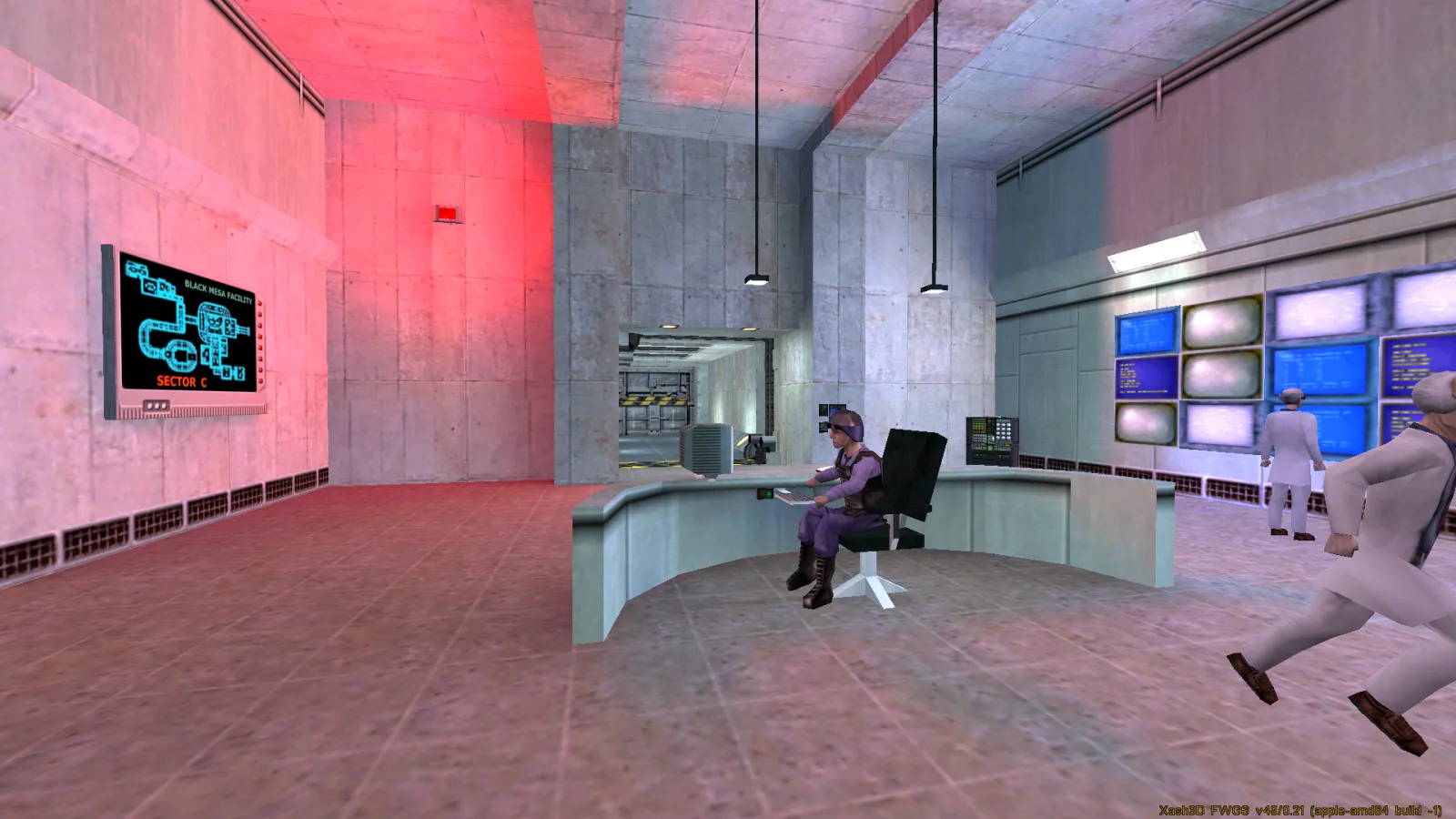
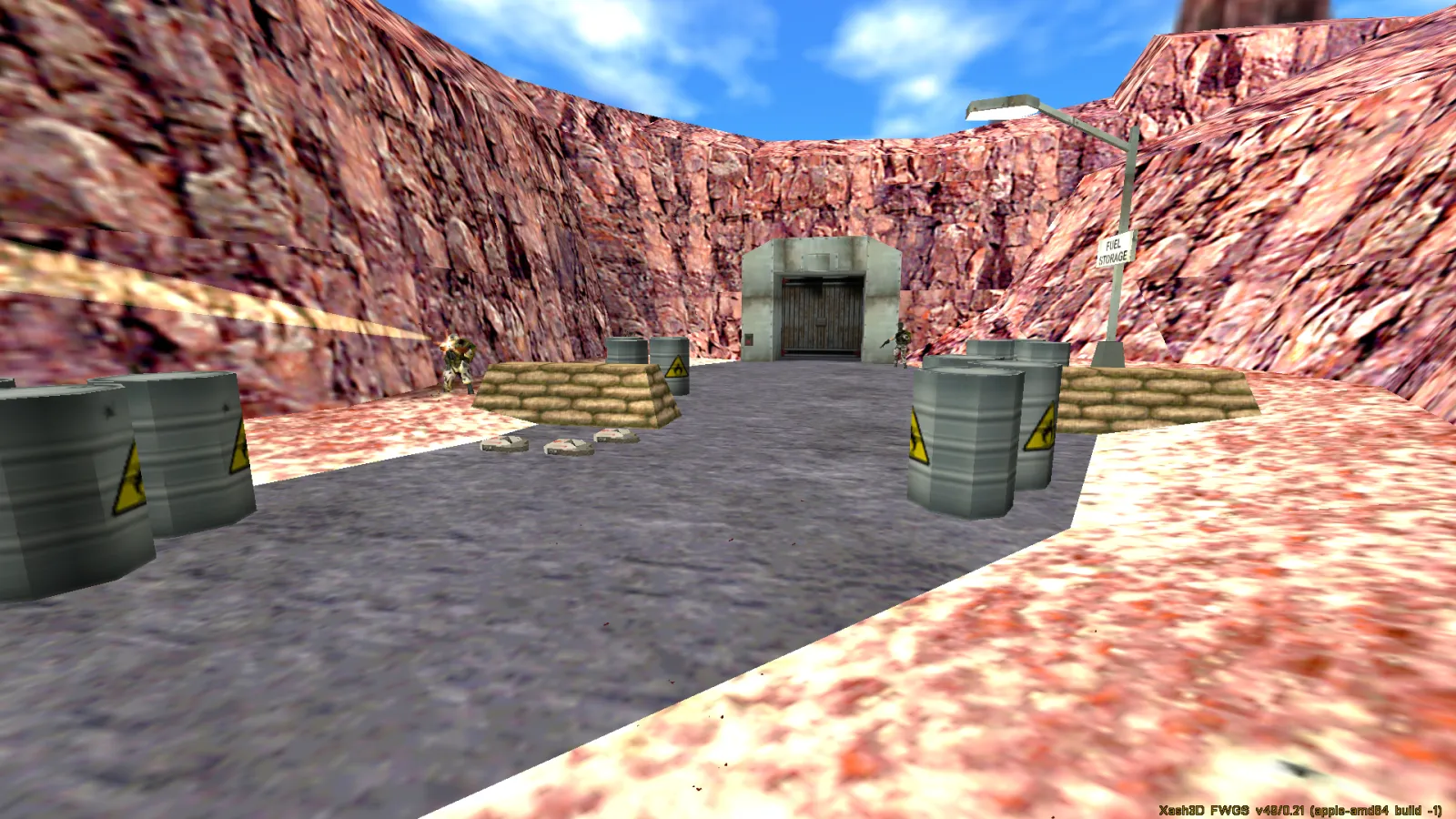
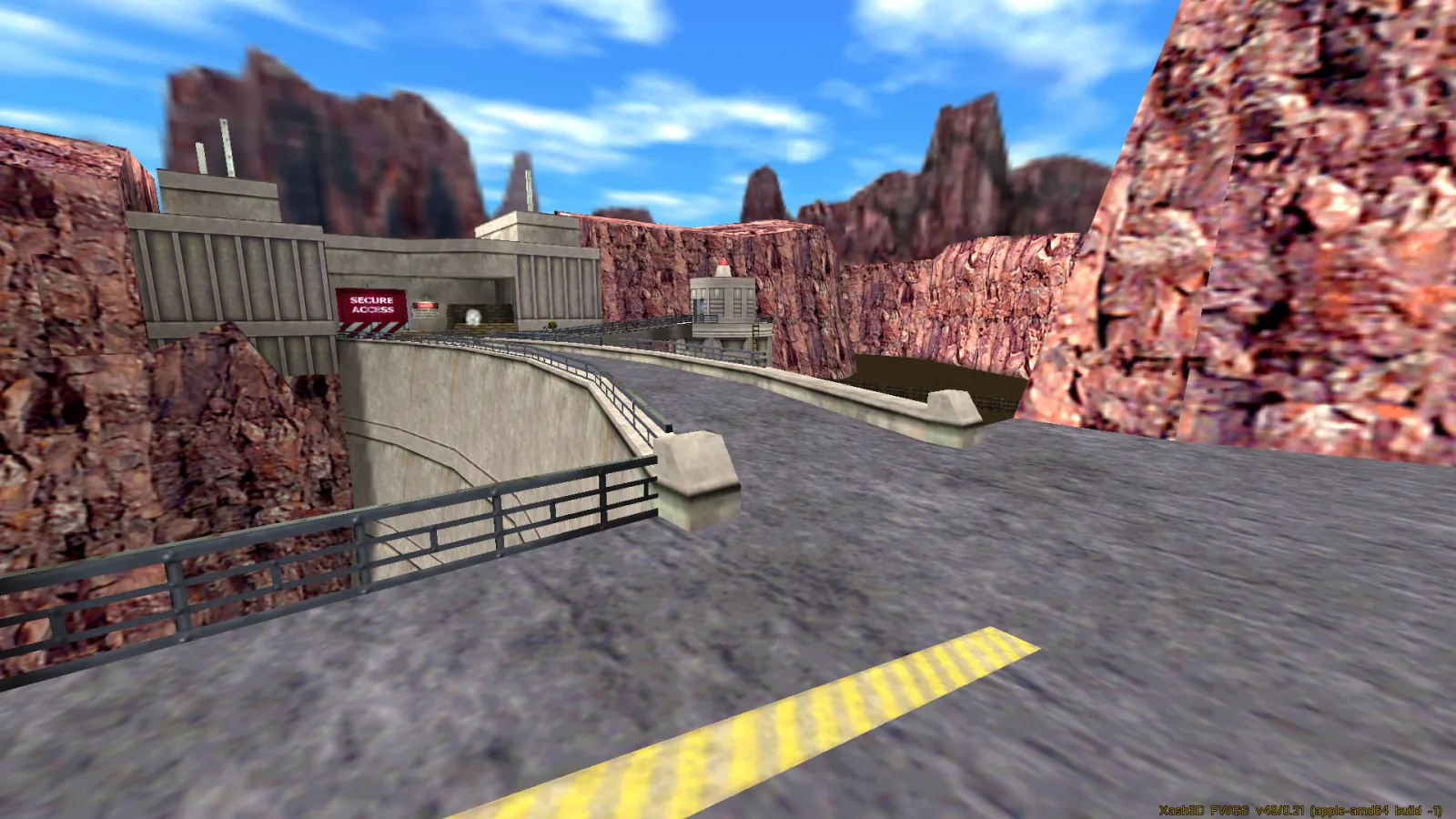
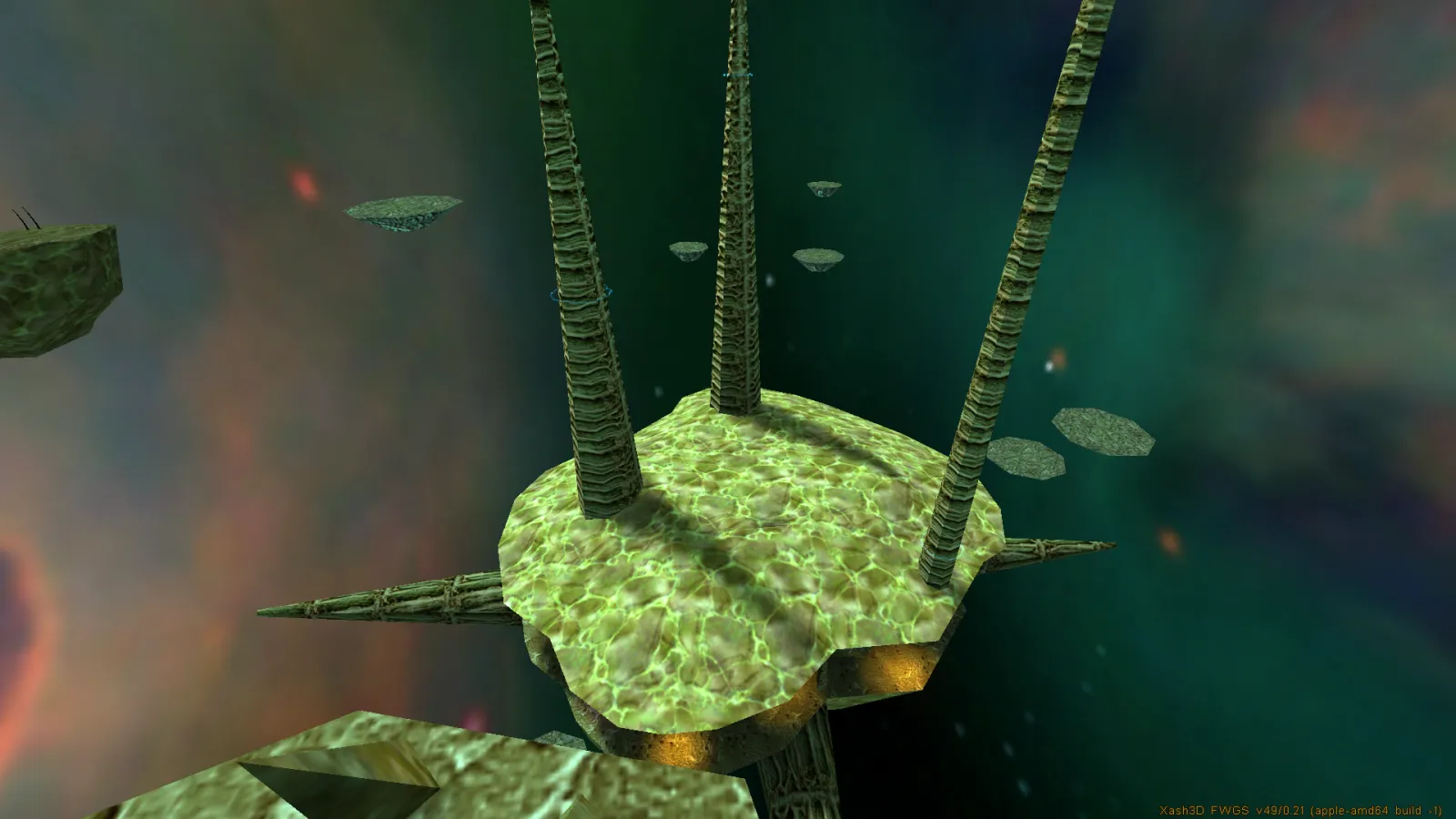
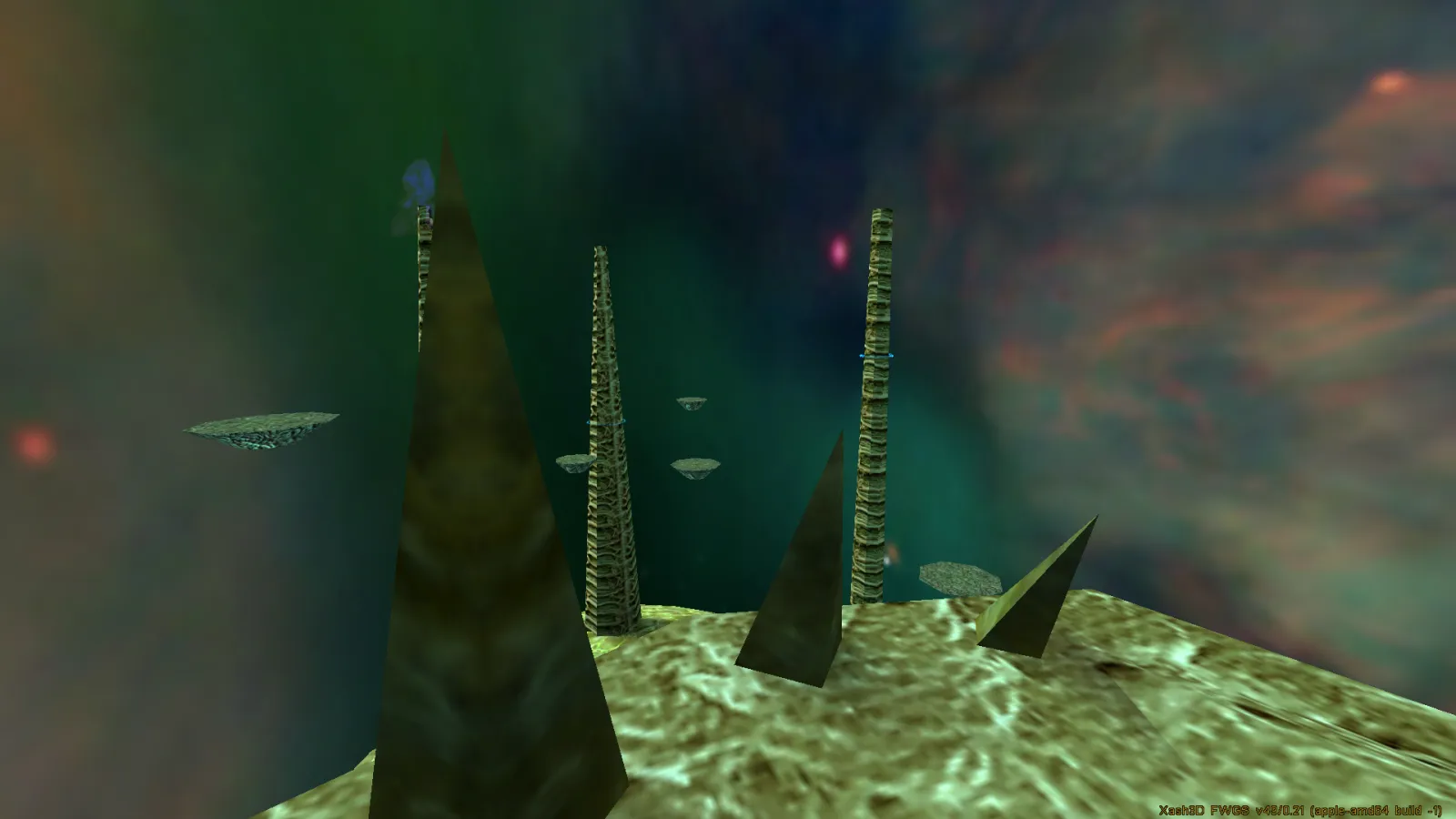
These are all from mini-intel, the 2007 Intel mini in the table above, at 1920×1080.
# Three source trees, not one
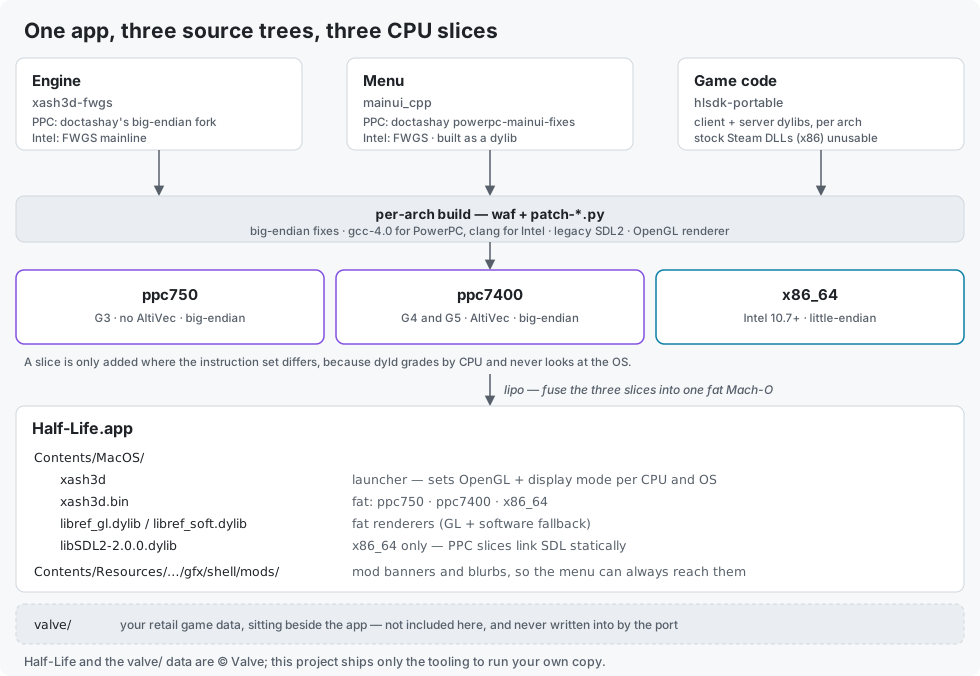
The engine is xash3d-fwgs, the menu is mainui_cpp built as a dylib, and the game code is hlsdk-portable built as client and server dylibs. The stock Steam valve DLLs are 32-bit x86 and can't be used, so the game code is recompiled for every slice. Intel is little-endian on the mainline engine with no byte-order work, though it has to be a 64-bit build since i386 is dead on modern macOS. PowerPC is big-endian, so it builds against the endian-fix forks plus a set of local patches.
The repo holds only the porting glue. No upstream source and no game assets are committed. The upstream trees are cloned at pinned commits into a git-ignored vendor/ directory, patched, and built.
# Three slices, not four
There were four slices until v1.4.0, when the G5 lost its own ppc970 build and took the G4's ppc7400 one instead. dyld picks a slice by CPU capability alone and never looks at the OS, so a slice is only worth adding where the instruction set differs. The G3's 750 has no AltiVec unit and the G4 and G5 both do, which is the whole rule.
The G5 had a separate slice because of an intermittent crash on Finder launch when it shared the G4's. Measuring it properly rather than assuming: ppc7400 was about 6% faster on the G5 across sixteen interleaved runs with no overlap, twenty of twenty launches were clean, and the crash signature it was built to avoid belonged to a version of SDL2 that only the ppc970 slice ever used. So the slice was slower and the fault it existed for was never established. Dropping it is also what lets a G5 run Tiger or Panther, since the G4's slice targets 10.3. The reasoning and the numbers are in the decision record.
# What each machine is set to do
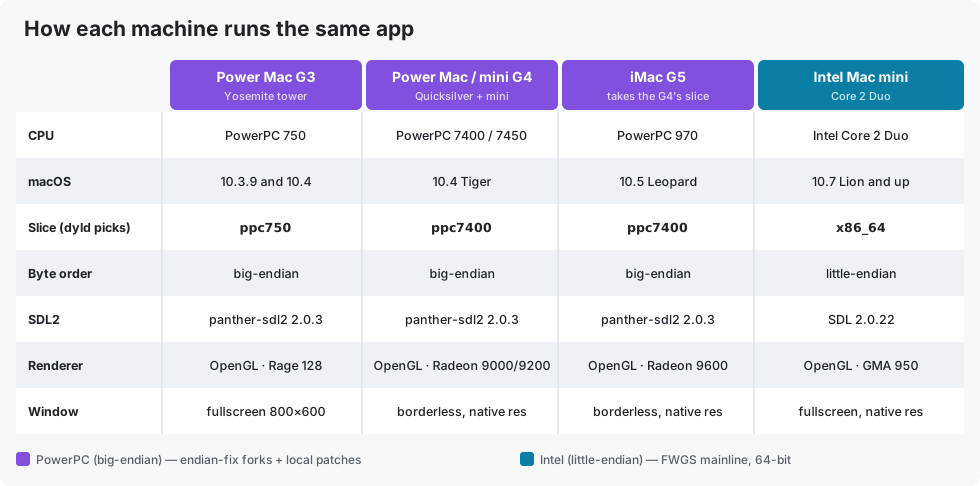
A small config is shipped inside the app and re-applied on every launch, so resetting your settings in-game can't undo it. It pins linear texture and lightmap filtering and hides the notify area. The launcher leaves the developer console reachable on every machine without turning developer mode on.
Display mode is the one real per-machine difference, and it is decided by CPU and OS at launch. The G3 gets exclusive fullscreen at 800×600 wherever it runs: its fullscreen cvar is broken on Panther and the Rage 128 wants the low resolution anyway. Any machine on Panther gets the same treatment for the same broken cvar. A G4 or G5 on 10.4 or later fills the display at its own native resolution with no mode switch, which is what a machine with a built-in panel should do. Intel takes exclusive fullscreen instead, because on 10.7 the borderless window leaves the top 22 pixels under the menu bar unpainted as a white strip.
SDL2 is the other constraint. Modern SDL2 refuses to build for anything before 10.6, so both PowerPC slices use alex-free's legacy native-Cocoa panther-sdl2 2.0.3.
# If it will not launch
Half-Life System Report.app says what your Mac is, which slice it would load, and what its GPU reports for OpenGL renderer, version, texture units and video memory, then copies the lot to the clipboard in one press. It reads only and sends nothing, and it runs on machines where the game does not, which is when it is most useful.
# Credits
- The FWGS team for the Xash3D engine, the menu and the HLSDK.
- doctashay for the PowerPC engine both PPC slices are built from and the PPC menu fixes. Without them there would be no PowerPC half of this binary. Their own release also covers Mac OS 9, which this one deliberately does not: mine is Mac OS X 10.3.9 and up, so if you need Classic, that is the one you want.
- IntriguingTiles for the original big-endian PowerPC forks of the engine and HLSDK.
- thedoctor45 for the mod collection the mod support reads its content from, and Macintosh Garden for hosting it.
- alex-free for legacy native-Cocoa SDL2 for old Mac OS X.
doctashay's port and thedoctor45's collection are both separately maintained, and this project is not affiliated with either. Report problems with this build on its own issues page, never on anyone else's release page.
Half-Life, Gordon Freeman and the valve/ game data are © Valve. The icon at the top of this page is Valve's own Gordon Freeman render, from the Half-Life wiki, used with no claim of ownership. The two running figures are AI-generated Gordon Freeman artwork made for the project, and the apps carry their own icons drawn from the same set. It's an unofficial fan project, not affiliated with or endorsed by Valve.