ArtfulType
A distraction-free Markdown editor for 68k Macs, on System 6 and System 7
ArtfulType is a Markdown editor for classic 68k Macintoshes. There are two views of the same document. Writer mode shows the text styled with the Markdown delimiters hidden. Markdown mode shows the raw source. The View menu switches between them, and files save as plain .md.
The app is Sean Malseed's project (Action Retro), made with Claude Code, and this is my fork of it. The two views, the full-screen page and the live bold, italic, code and heading styling come from his original, which runs on System 6 and System 7 on a Mac Plus or a similar compact Mac. The name, icon and artwork are his, and sit outside the code's GPLv3.
# What the app does
- Writer and Markdown views of one document, toggled from the View menu
- Bold, italic, code, headings and links styled live as you type, or from the Style menu
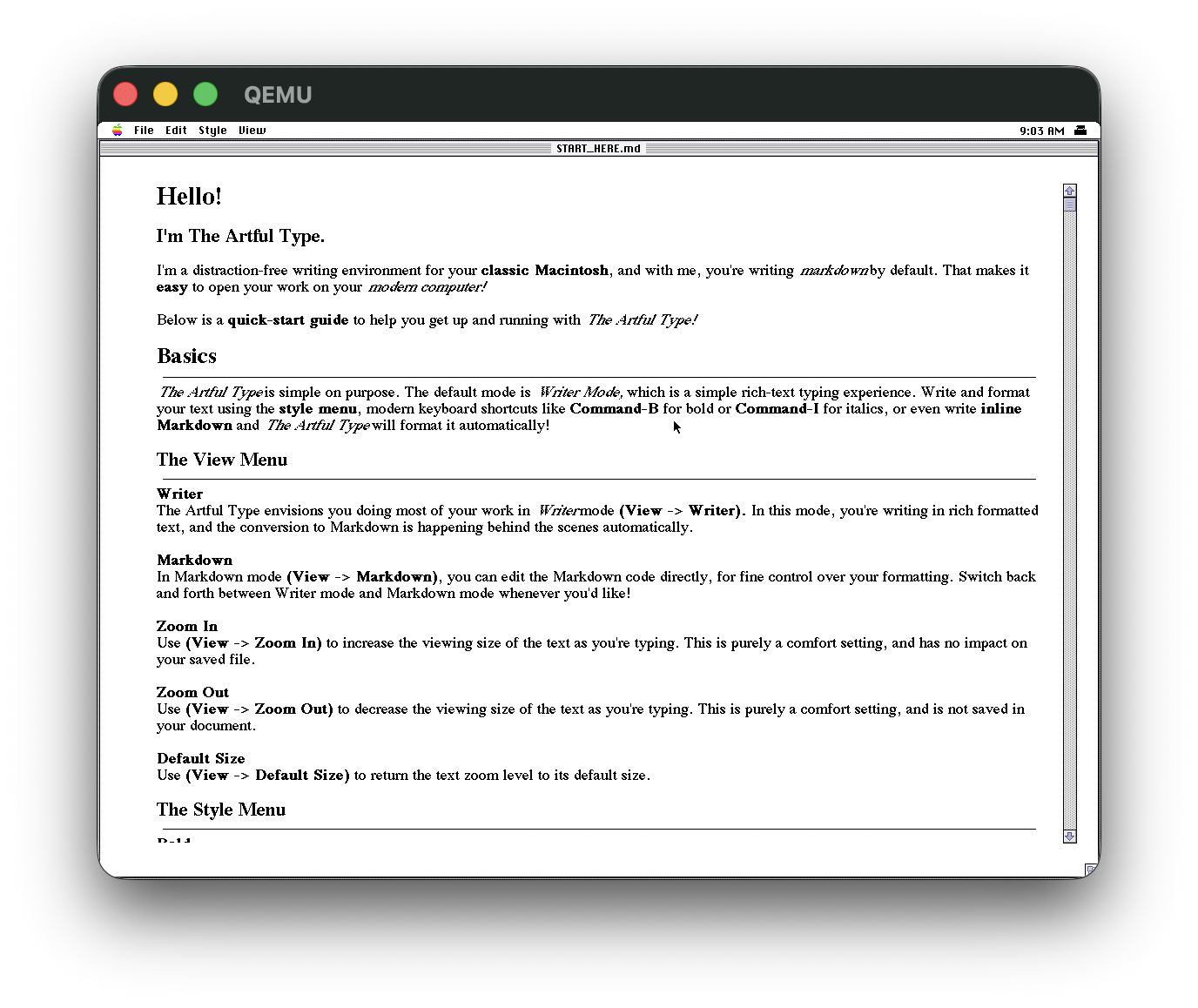
- A full-screen page with no window frame around it
- Plain
.mdfiles, 15 levels of undo, and cut/copy/paste that keeps the Markdown - Zoom in and out, remembered between launches
# What I added
- Strikethrough drawn as struck text in Writer mode. The Style menu item was there before, but it only inserted the
~~markers ==highlight==, drawn as a highlight, with ⌘T and ⌘H for strike and highlight- Combined styles, so a word can be bold and struck through at once, a link can be bold, and switching views keeps both
- Horizontal rules, nestable blockquotes, fenced code blocks, bullet and numbered lists with nesting, and task checkboxes
- Printing through the classic Printing Manager, either the formatted Writer view or the raw source, on System 6 and System 7. Tested on a LaserWriter
- Find & Replace and Word Count on the Edit menu
- A Preferences dialog for window mode, view, body font and zoom, remembered between launches
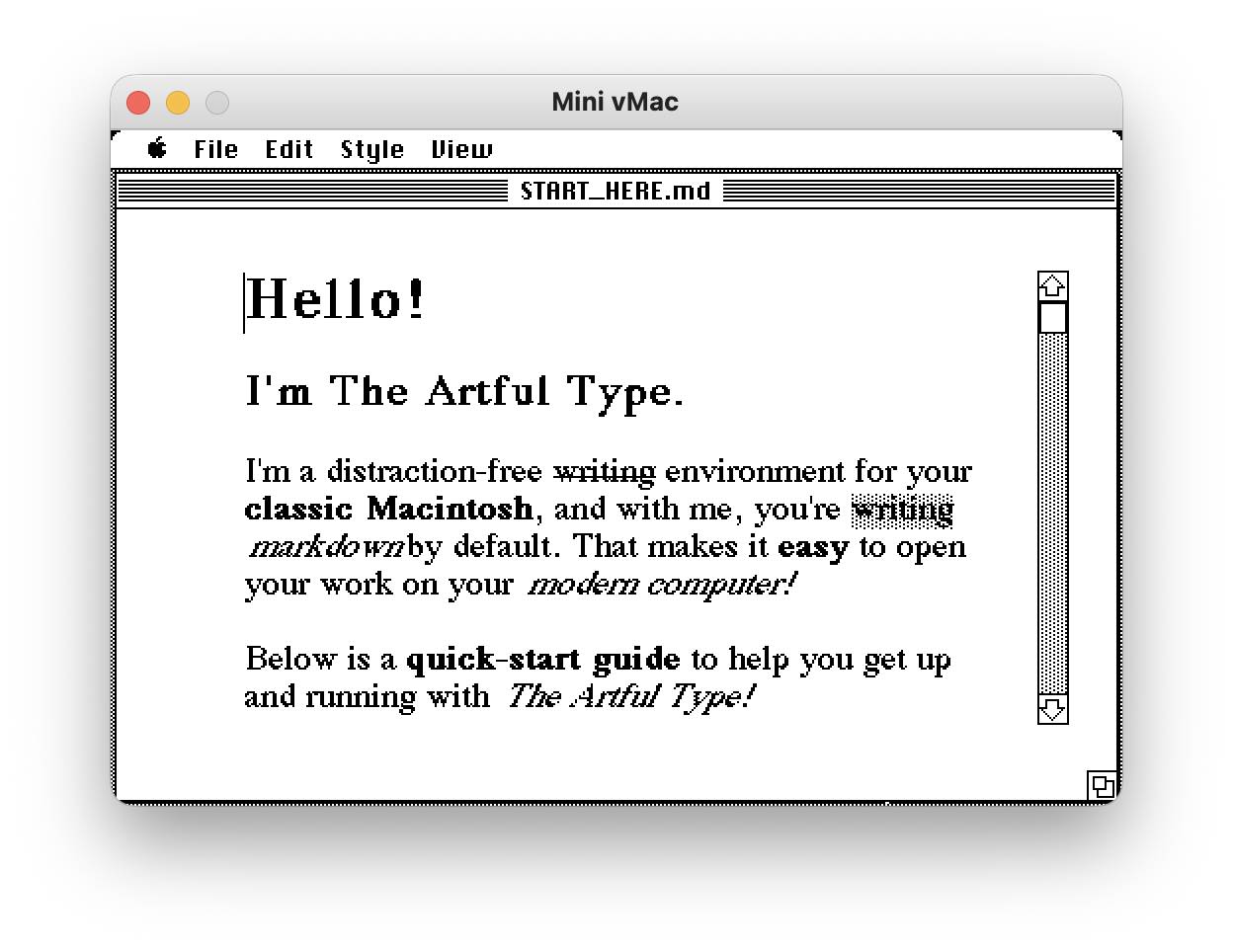
- Windowed mode. A window with a title bar, close box, scroll bar and grow box is how Mac apps of the period worked, so the View menu offers that as well as the full-screen page
@todayand@timeexpansion- Import that folds a modern file's UTF-8 smart quotes, dashes and line endings to Mac equivalents
- About moved to the Apple menu, with desk accessories listed there and hosted properly
- A document that hits TextEdit's 32K ceiling says so, instead of failing its save quietly
- Link IDs are reclaimed, so a long session doesn't run out of them
- The Markdown engine lifted out of the Toolbox, with host unit tests and CI
- Bootable disk images built on Linux, and a companion app that writes a boot floppy from a bare Mac
# How the Markdown engine works
Two TextEdit records back every document. One holds the canonical Markdown source. The other holds the styled Writer view, with real bold, italic, Monaco and heading runs and no visible delimiters. A global aliases whichever one is live. Switching view emits from one and re-strips into the other.
The parsing doesn't touch the Toolbox. Strip, emit, span-to-run flattening and the live "type **bold**, get bold" detector all live in mdcore, plain C89 over const char * buffers. markdown.c is the Mac adapter that locks handles, calls into mdcore, and maps the results onto real TextEdit style runs.
Styles ride on TextEdit's own style runs, so they follow their text through edits. Bold and italic are the normal tsFace bits, code switches to Monaco, and a heading is bold at a larger size. Nothing is left for links, strikethrough or highlight, so those use the three colour channels TextEdit ignores. A 1-based link ID goes in tsColor.red, a strike flag in green, a highlight flag in blue. QuickDraw has no strike or highlight face, so both are overdrawn once TextEdit has laid the text down. The channels are independent, so a highlighted struck link keeps all three.
That uses up all three channels, so line-level blocks work differently. Horizontal rules, blockquotes, bullets and task checkboxes carry no flag. One pass walks the display lines, classifies each by content using a pure mdcore predicate, and overpaints. The marker text is never modified, so the Markdown round-trips untouched, and the caret's own line is left literal so it stays editable.
Fenced code blocks do hide their markers, like every other Writer style. MdStrip drops the opening and closing ``` lines and emits the body as one code run that includes its internal line breaks. The emit side rebuilds the fence from that. A code run at the start of a line is re-fenced if it contains a line break, and stays inline `code` if it doesn't. A one-line fenced block normalises to inline code, which renders identically.
# Tested on
| Machine | System | What was run |
|---|---|---|
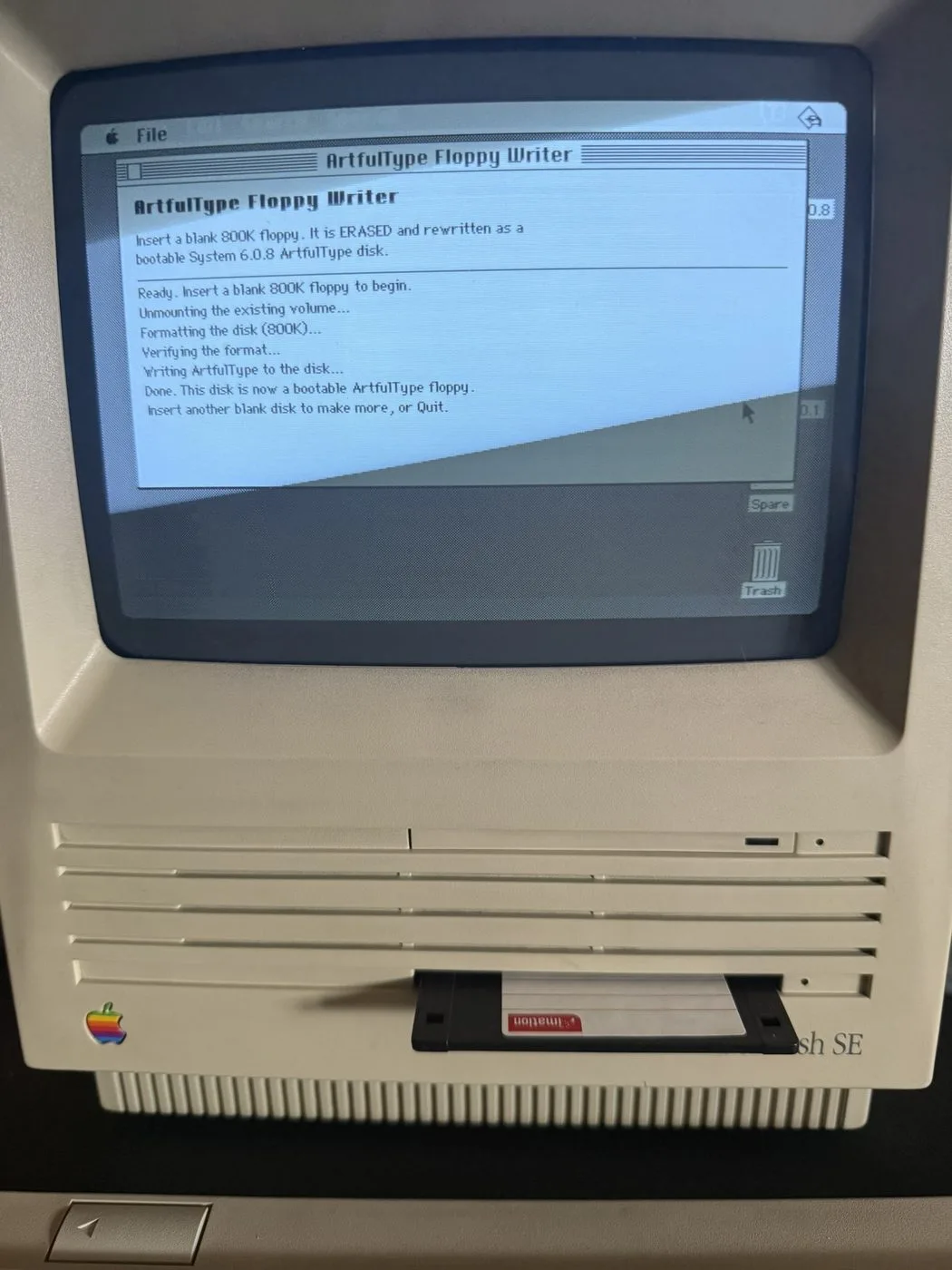
| Macintosh SE, 68000 | 6.0.8 | The editor, and the floppy writer writing a bootable 800K disk |
| Performa 6200, PowerPC 603 | 7.5.3 | The editor, as a 68k app under the 68k emulator |
| Performa 6400, PowerPC 603e | 7.6.1 | The editor, as a 68k app under the 68k emulator |
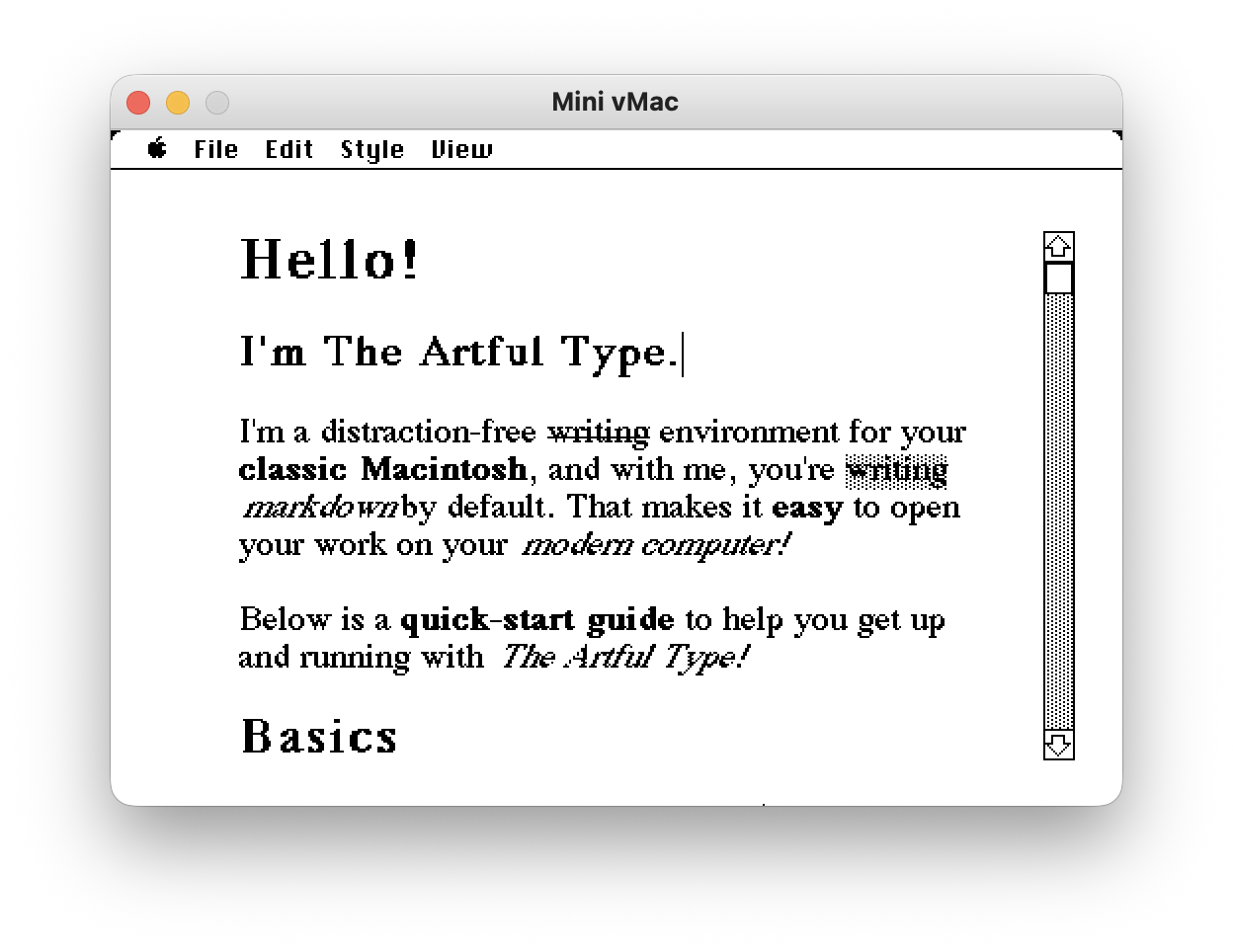
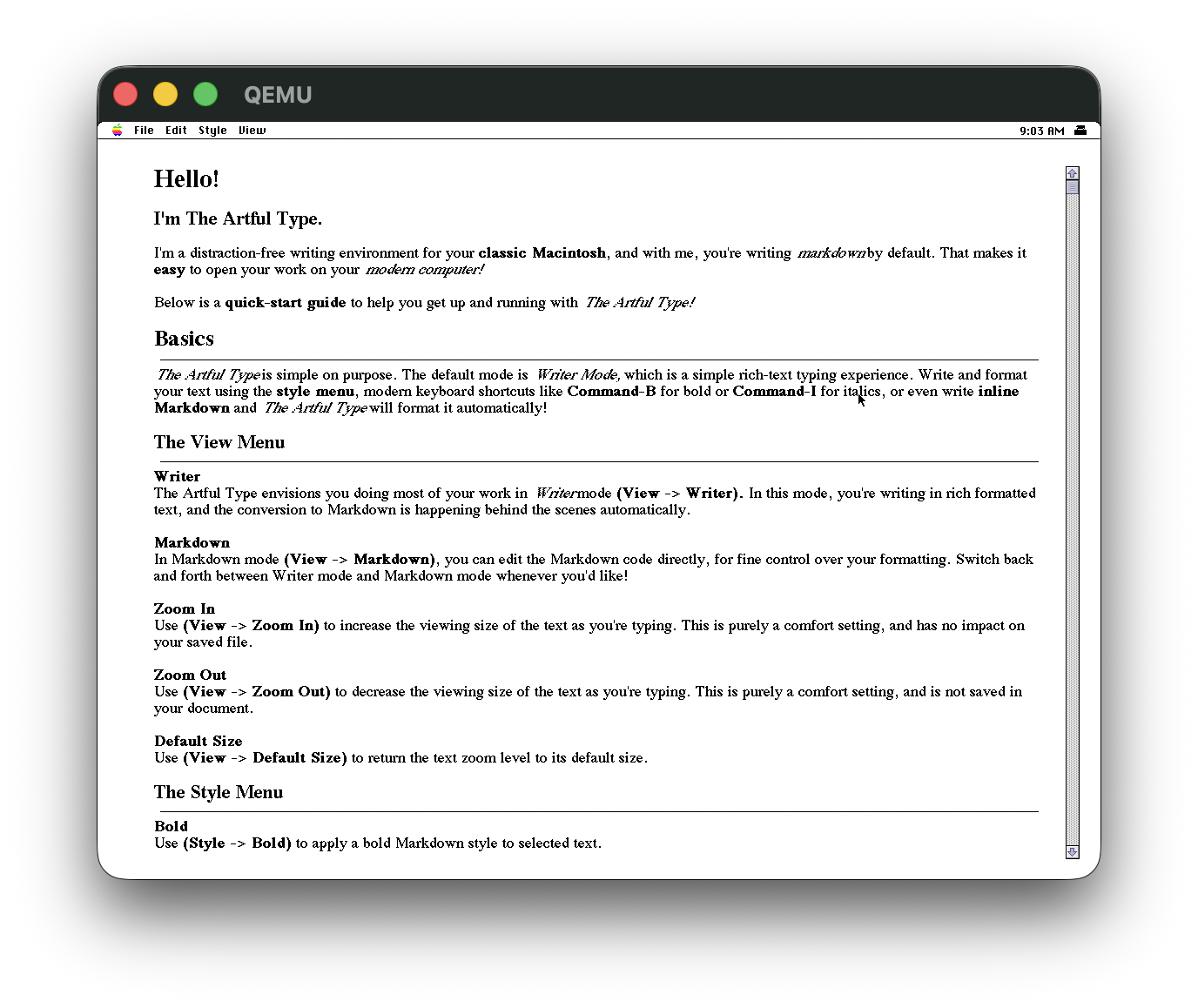
Printing went to a LaserWriter from both System 6 and System 7. Day to day I work in emulation: Mini vMac for System 6 on a Mac Plus, and System 7.6.1 under QEMU using QemuMac, my toolkit for running classic Mac systems on modern hardware. The screenshots above show both.
# Building and tests
The fork builds against Apple's MPW/Universal interfaces rather than Retro68's open-source multiversal ones, so it needs a Retro68 built with those. CI uses a container image that ships them.
make -C tests check builds and runs the host tests with a native cc -std=c89, with no Mac, emulator or Retro68 involved. The tests are golden cases where an input produces exactly the expected stripped text and spans, round-trips of emit(strip(s)), and case tables for the live inline detector. CI runs them plus a real 68k build and cppcheck on every push.
# Disk images built on Linux
build-boot-images.sh builds every bootable image from scratch on Linux. It formats a fresh HFS volume, installs a System Folder from the committed System 6.0.8 base, and blesses it in software, since hformat alone doesn't write the boot blocks and blessed-folder ID a Mac needs to boot. Tagging a release runs the same script and publishes the results. It needs hfsutils, djjr and python3.
| Image | For |
|---|---|
HD1_ArtfulType.hda | BlueSCSI or PiSCSI, 20 MB with room to save your work |
ArtfulType-800K.dsk | Raw 800K floppy for a flux writer, or Mini vMac |
ArtfulType-800K.image | The same floppy wrapped in a DiskCopy 4.2 header |
ArtfulType-20MB.dsk | Mini vMac, Mac Plus config |
ArtfulType.bin | The app on its own, for an existing System under Basilisk II or SheepShaver |
Every image boots into System 6.0.8 with ArtfulType on it, so there's no separate system install. The 800K floppy boots on the Mac SE. The other images are checked in emulation and by verifying the volume structure.
# Writing a boot floppy from the Mac itself
Retro68's LaunchAPPL can send an application to a Mac over the network but not a data file, so there's no way to send it a disk image. The floppy writer is an app that carries the 800K image inside itself as a resource. Send it over, insert a blank 800K disk, and it formats the disk to its native 800K layout, verifies it, then writes every block of the image straight to the floppy driver. It bypasses the File Manager, because it's cloning a volume rather than mounting one, and that keeps the copy byte-identical to the source, boot blocks and blessed System Folder included. It ejects when it's done, and the disk boots.
Every step and every error code goes to its window, so it can be driven over the network without a screen-share. Each release ships a prebuilt ArtfulTypeFloppyWriter.bin with that release's image embedded. It handles System 6 and 800K disks only.
# Tech Stack
# Downloads
Disk images are on the releases page.
# Related Posts
# Credit and licence
ArtfulType is Sean Malseed's app, and the upstream repo is where it started. The code here is GPLv3, inherited from that project. The ArtfulType name, icon and artwork are his, all rights reserved, and this fork doesn't relicense them.
Upstream was made with Claude Code and so were my changes, under my direction and checked on the machines above.