My heating is an older Honeywell system that Apple's Home app doesn't support. Replacing it with a HomeKit-ready system would have meant a whole new, expensive setup. Instead I built a radio stick and a controller that talk to the boiler relay I already had. The heating now shows up in the Home app, answers to Siri and has its own web page, and the controller switches the boiler by itself.
# What it does now
A small relay box next to the boiler switches it. A Honeywell thermostat on the wall used to tell that relay when to switch, over an 868 MHz radio protocol called RAMSES-II. Nothing in that system talks to HomeKit, so my server does the thermostat's job instead. A radio stick I built plugs into it and sends the same messages the thermostat sent. A controller program decides when to send them, using two Bluetooth temperature sensors, one in the hall and one in the bedroom, and the heating times we use at home. We have replaced the old thermostat and it's in storage now.
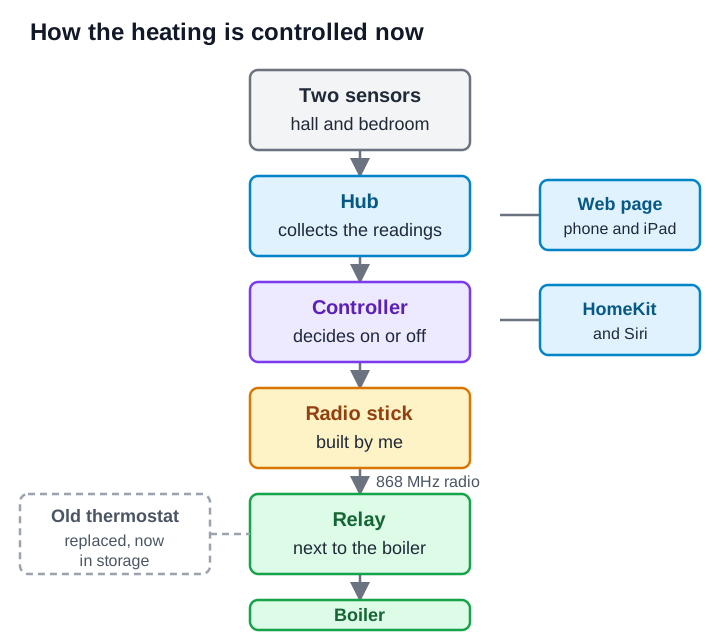
Claude Code agents wrote all the software under my direction. I did the soldering, the metering, the decisions and everything that touches the real heating.
# In the Home app and Siri
I run Homebridge on the server, which lets Apple's Home app see devices it doesn't support. In HomeKit, each sensor and a Boiler Firing tile is its own external accessory. The Home app asks me for a name and room for each, so I can tell them apart. There are four alert tiles: Heating Fault, Sensor Offline, Room Below Minimum and Frost Protection On. The Home app also shows my cameras through a separate plugin, public on npm with its source on GitHub, and I wrote about it in another post. I also made eleven Siri shortcuts for things like a heating report, a boost and switching off. All eleven are in the Shortcuts app on my Mac and sync to my iPhone through iCloud. Four of the eleven run end to end on the Mac from the command line. I haven't yet tried any by voice.
# The radio stick
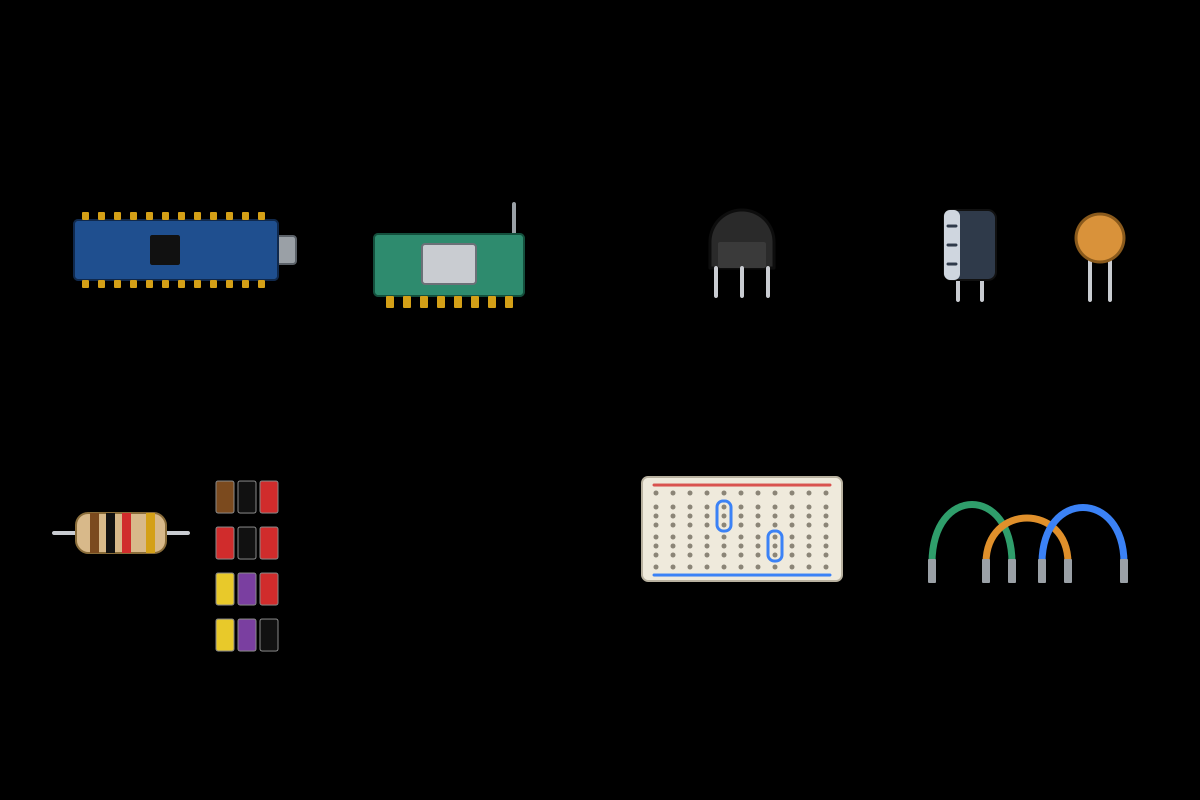
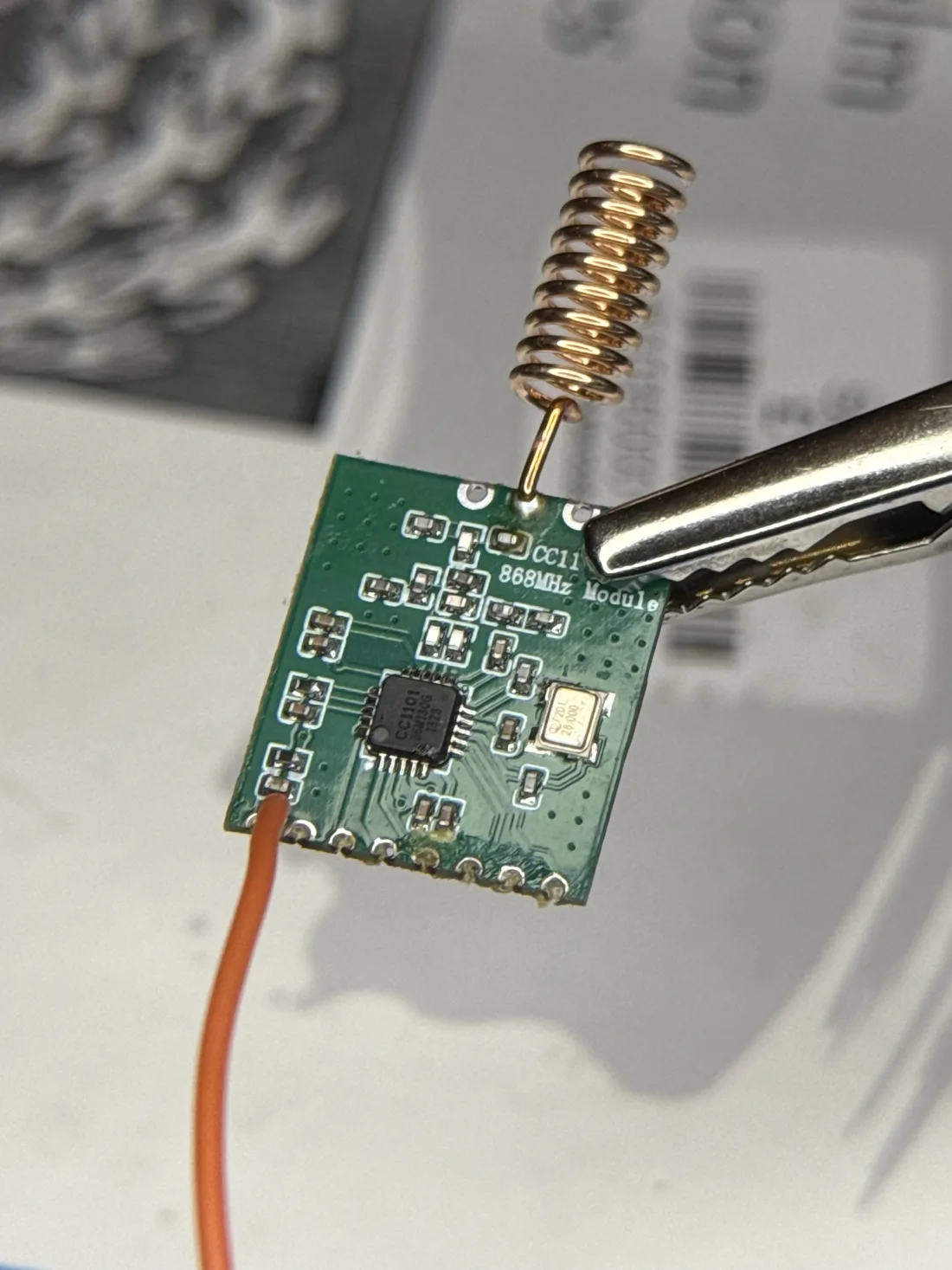
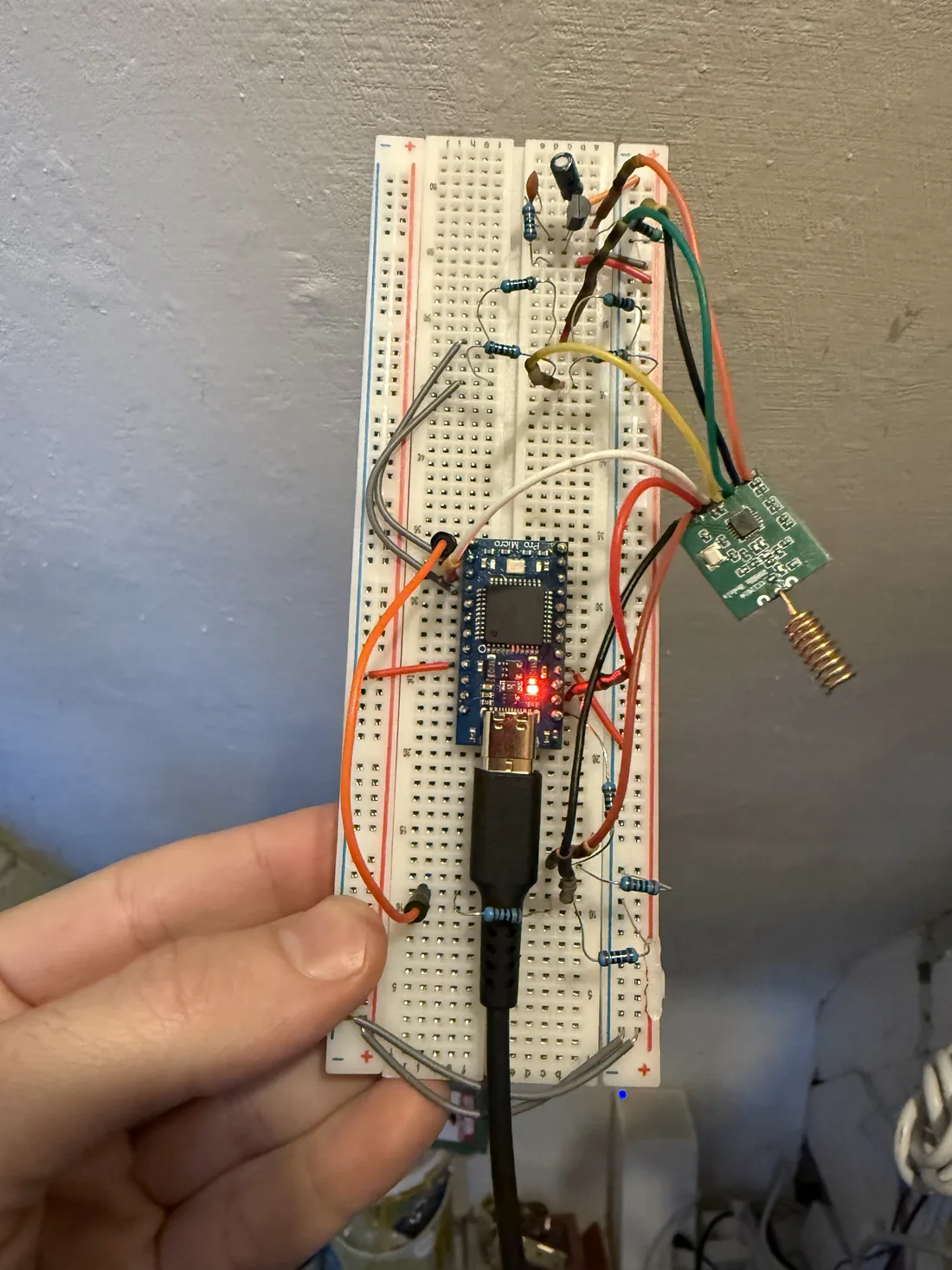
The stick is a Pro Micro, which is a small Arduino-style board, and a CC1101, a cheap 868 MHz radio chip on a small module. It runs evofw3, open-source firmware that speaks the protocol.
I ordered the 3.3 V version of the Pro Micro. The one that arrived runs at 5 V, and the radio can only take 3.9 V at most. A meter on the board's output read 4.66 V, which would have damaged it. I didn't want to wait for another board, so I built a 3.3 V supply from parts in a drawer, using an S8050 transistor, which is a small electronic switch.
The first reading was 0.04 V, so the radio would have got nothing. I'd fitted an S8550, which is the opposite type of transistor and looks identical in the bag. With the right one it read 3.36 V from the Mac and 3.29 V from a Dell server, both safe for the radio. I rebuilt the rest in stages and checked each one with a multimeter before moving on. The lines to the radio run at 5 V, so each got two resistors to bring the voltage down to 3.3 V, or they would have overloaded the radio.
Each step below is a breadboard layout with the meter test points marked, and two extra tabs cover the parts and the multimeter.
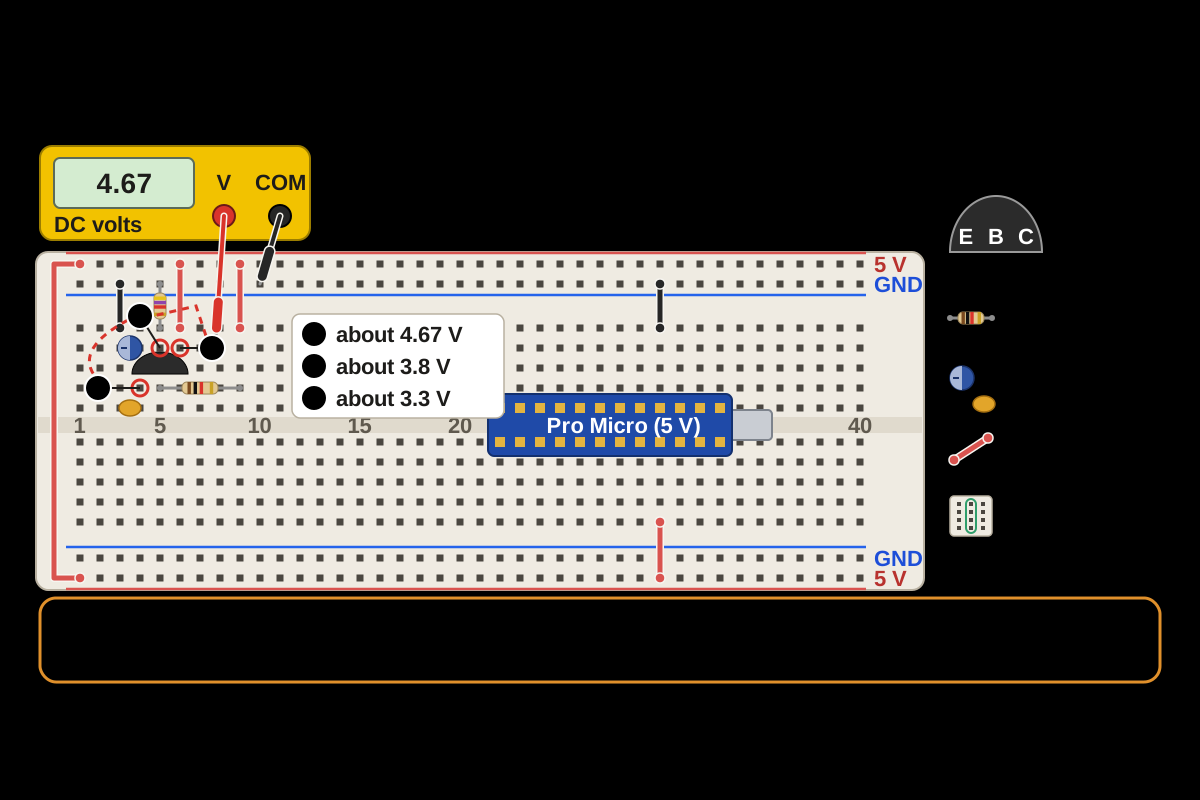
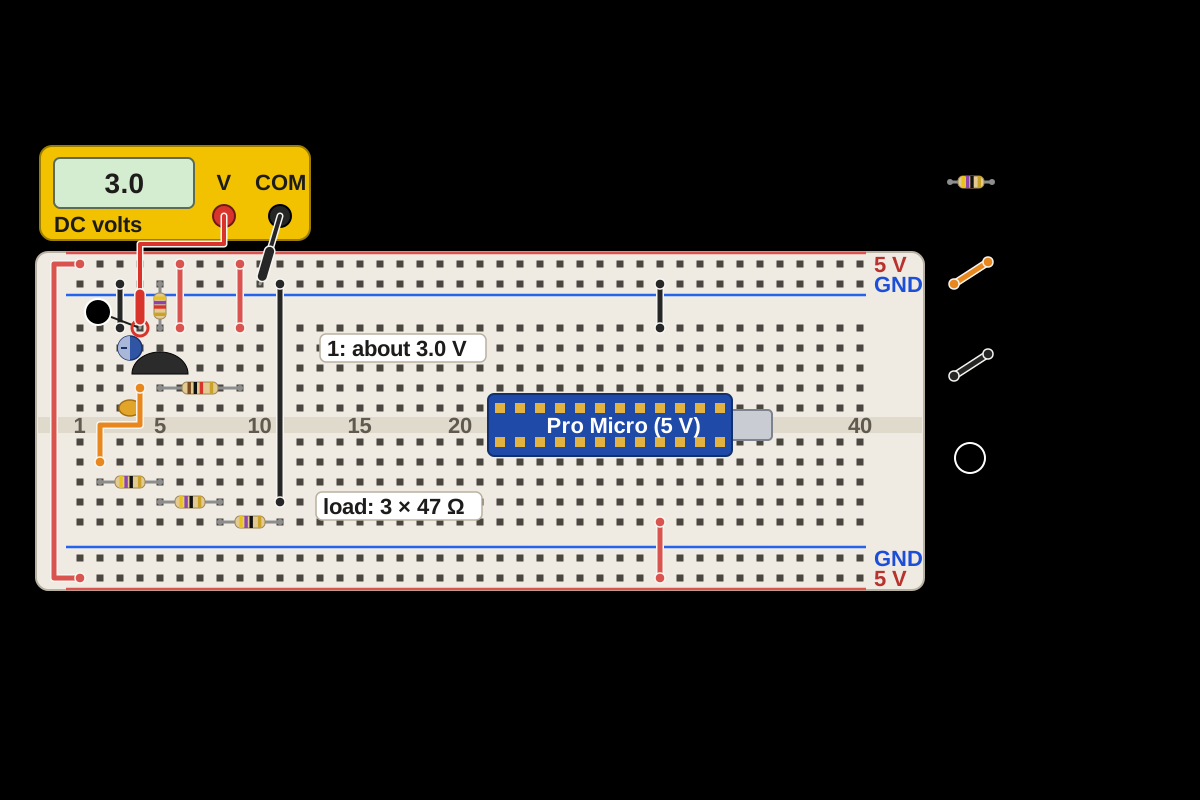
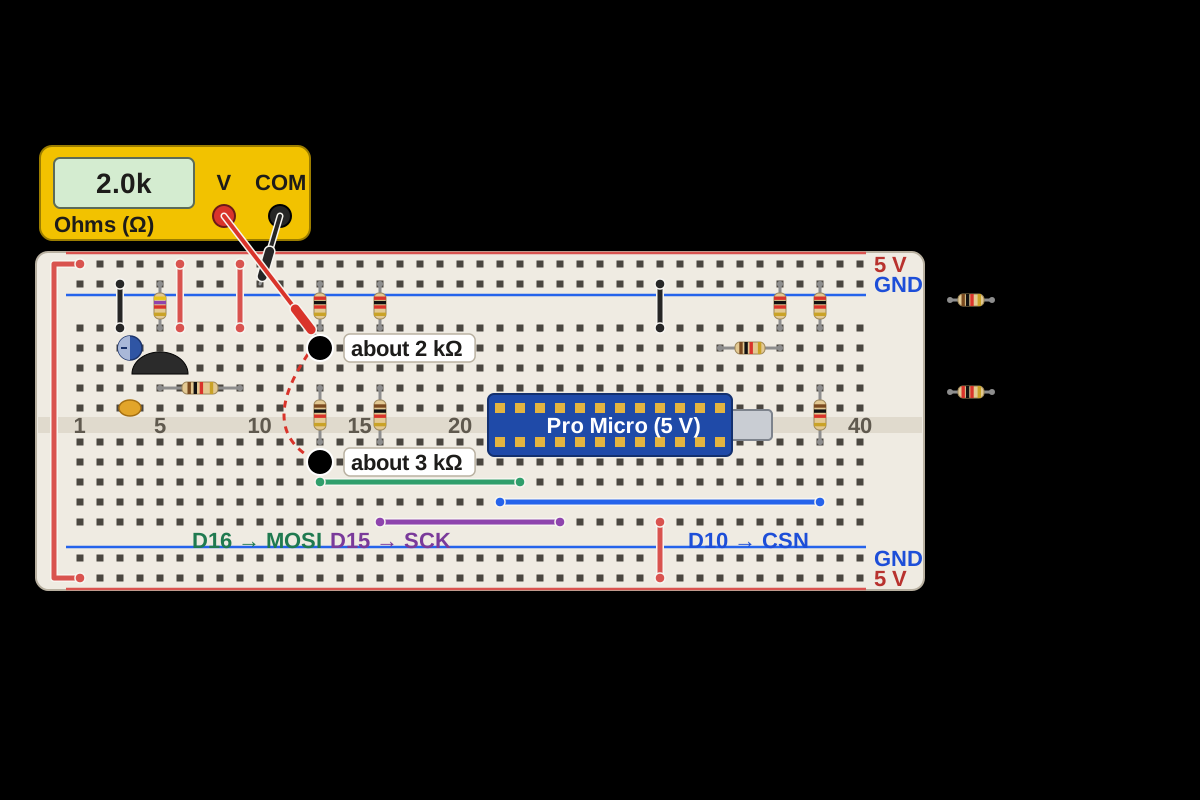
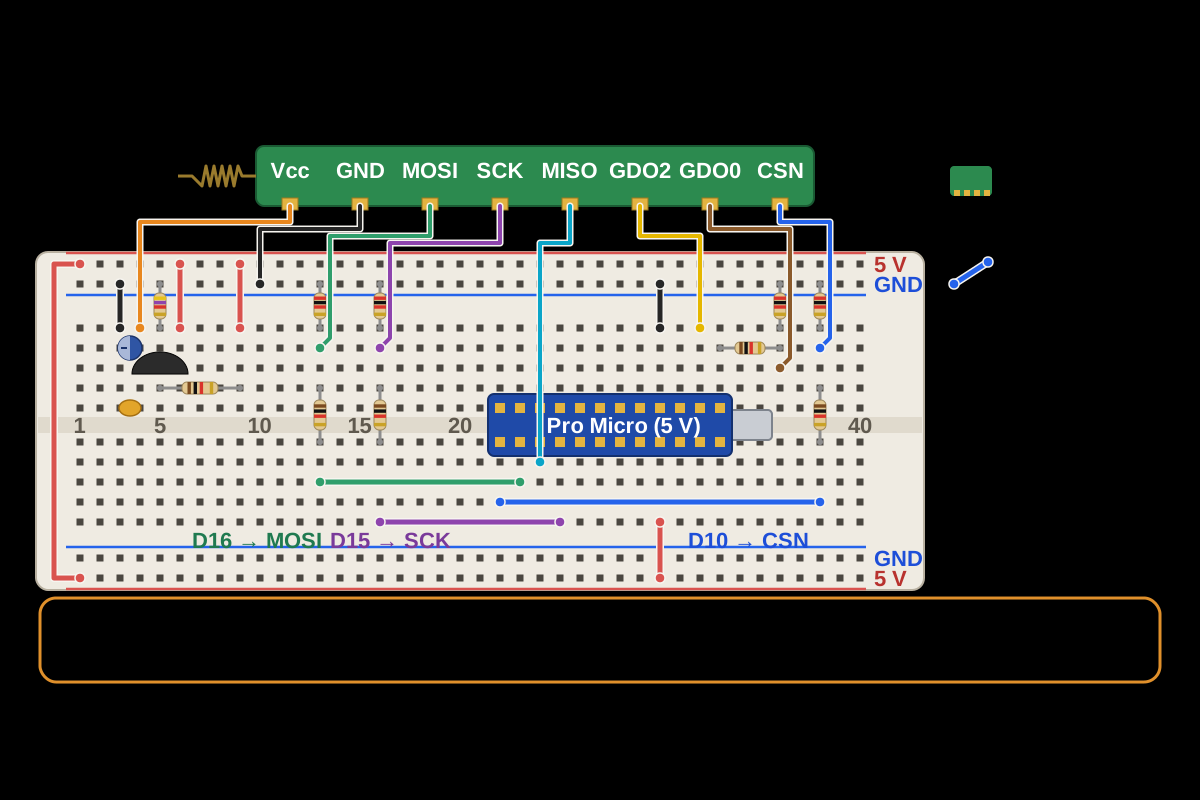
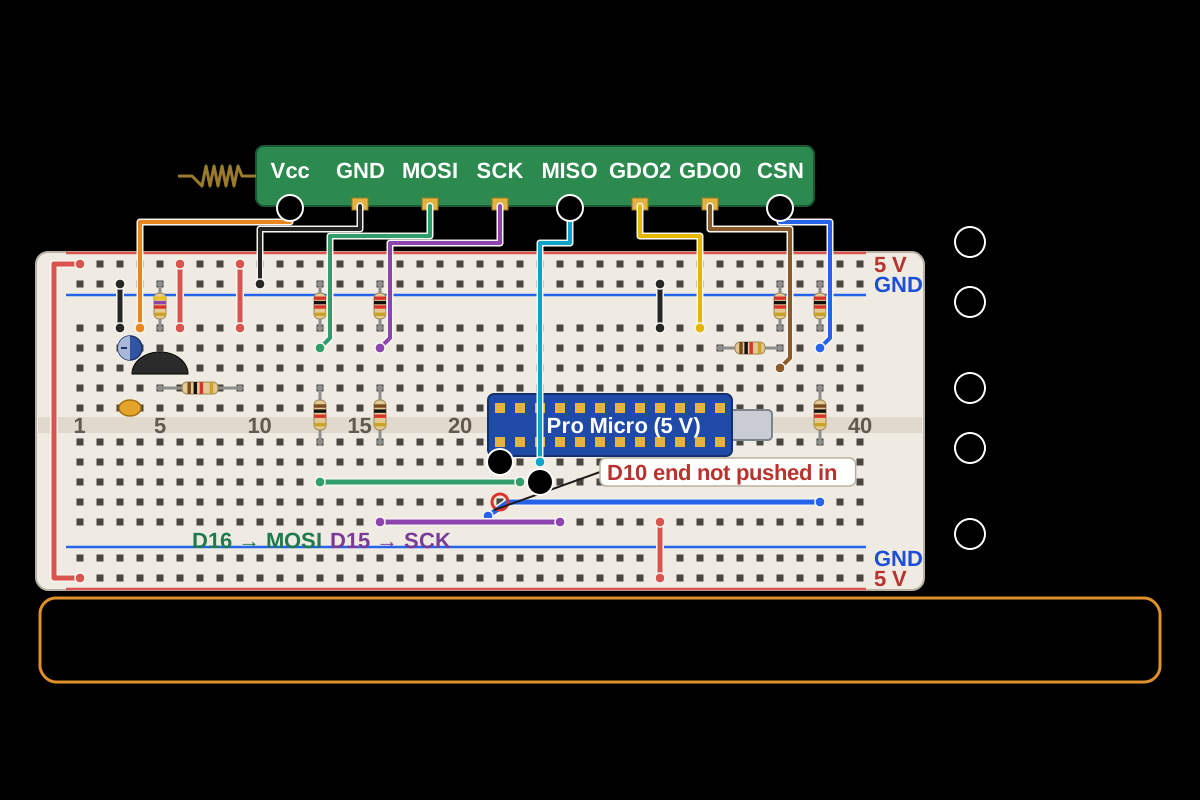
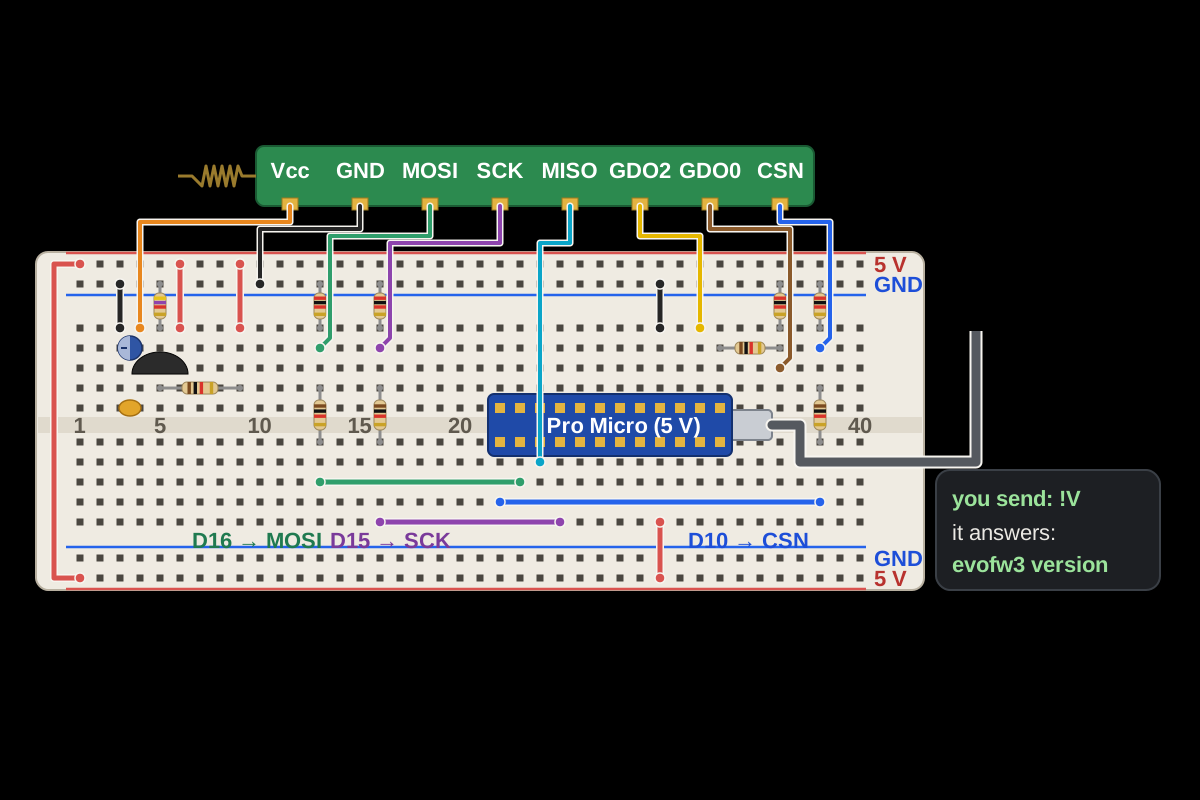
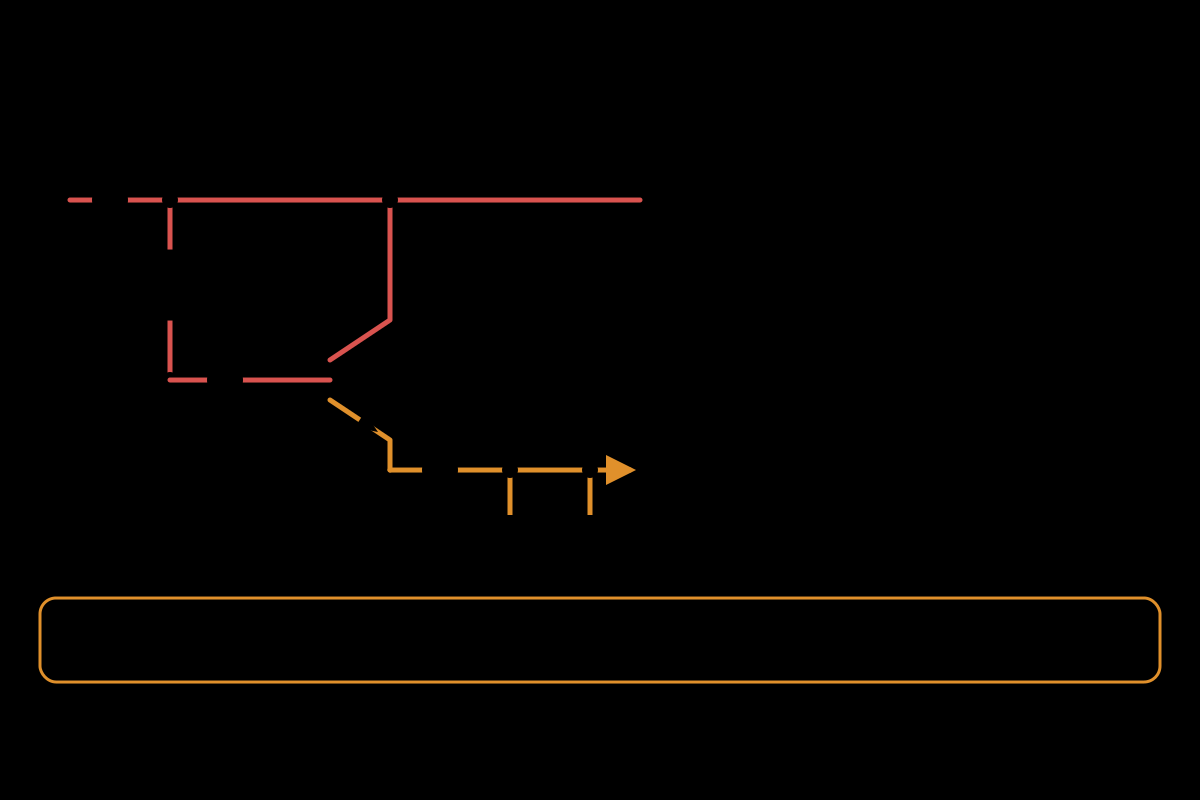
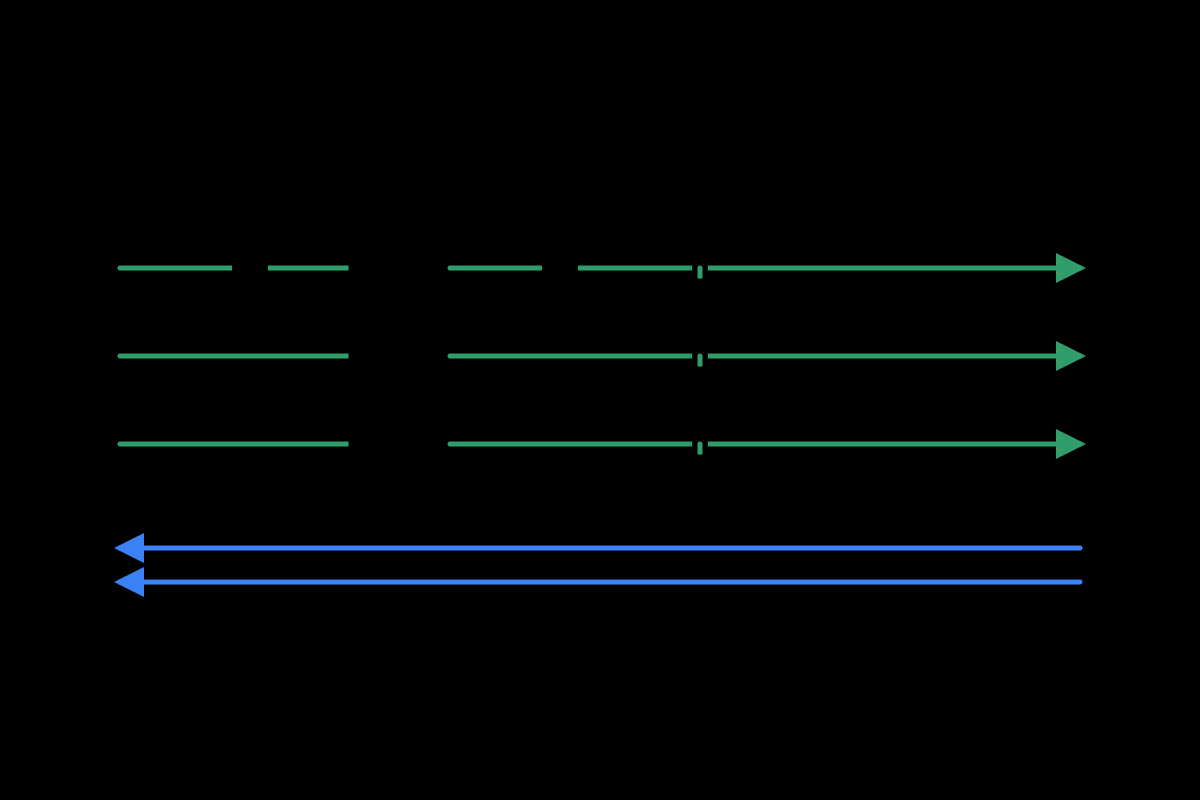
The same steps as circuit diagrams show the connections without the board.


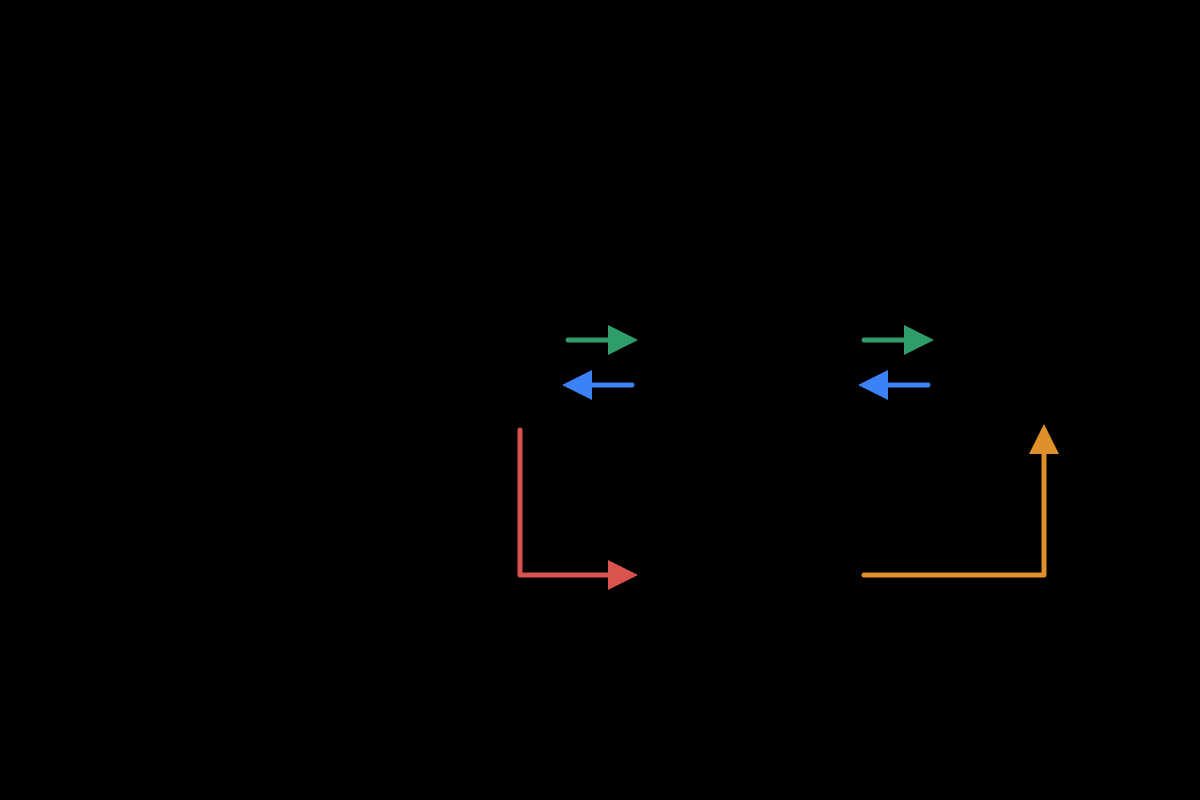
After flashing, the stick showed up on the server as a USB serial device and printed nothing. The firmware only prints once the radio answers, so silence meant the radio wasn't wired up or powered. I followed the signal with a meter. One end of a wire to pin D10 wasn't connected. Once I pushed it in, the stick printed its version and started hearing frames, which are single radio messages, from the thermostat.
# Listening
With the stick on the server, I pressed buttons on the thermostat and read what came out. Every temperature change is a message with the new target in hundredths of a degree, so 22 °C goes out as 0898. The relay answers within about a tenth of a second to say whether it is on, which gave me the exact messages to copy.
The protocol has no authentication, only a checksum. Neighbouring houses use the same gear, so my software refuses to send to anything except my own two devices and can't switch a neighbour's boiler.
For the rooms I bought two Xiaomi Bluetooth sensors and flashed them with community firmware that broadcasts the readings openly. The flasher needed details the Xiaomi app doesn't show, which I got with a token extractor. The server reads the sensors with no phone app or cloud account.
# The first transmission
The relay's failsafe is what it does if it stops hearing from its controller. My plan was to measure that, run 48 hours of dry runs, check the 3.3 V supply while transmitting, and only then send one frame. That evening I decided to move faster. I skipped the meter checks, because the worst a bad supply can do is make the stick misbehave until I pull the USB cable. I postponed the failsafe measurement, so I only transmitted with me in the house. I also kept the old thermostat so I could go back to it.
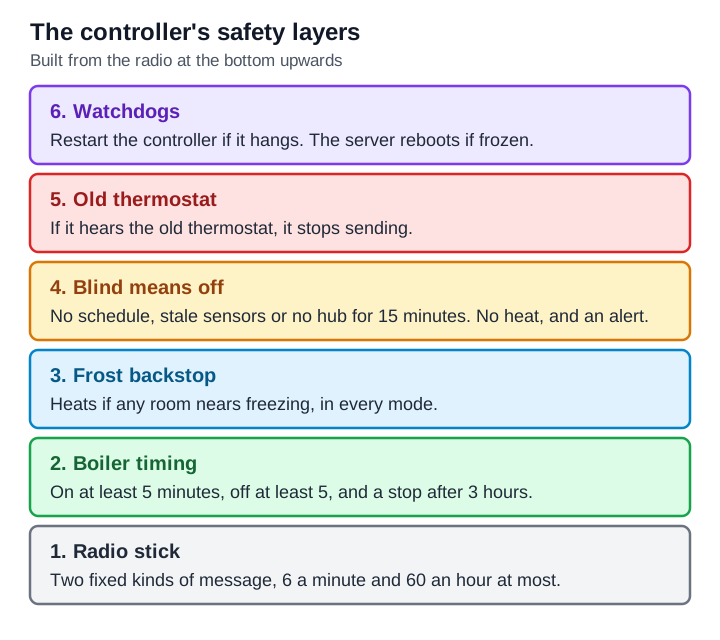
The firmware transmits any line sent to it that doesn't start with !, so a stray line would go out over the air. I built a small tool that is the only thing allowed to talk to the stick. It sends two kinds of message built from fixed templates and refuses everything else. It does a dry run unless told otherwise, and it never retries, so it can't repeat a bad message.
The first transmission was a read-only question to the relay, and the relay answered.
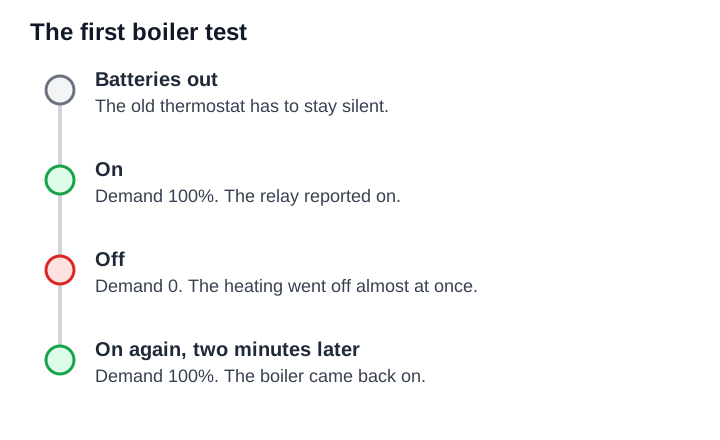
Next I sent the exact messages the thermostat sends, using its ID. The old thermostat had to be silent, or two devices would have used one identity. Even "off" on the thermostat still sends messages, so I took its batteries out. Then I sent 100% demand and the relay reported on. I sent 0 and the heating went off almost at once. Two minutes later I sent 100% again and it came back on. The boiler obeyed my stick.
# The controller and its safety rules
Before building the schedule I wrote the rules in plain English and showed them to my wife:
- Winter runs from 1 October to the end of February. Outside it the heating is off, apart from frost protection at about 7 °C.
- From 06:00 to 23:00 the controller keeps the hall at 21 °C. From 23:00 to 06:00 the heating is off. I raised the target from 20 °C on 18 October, after a day and a half of data showed the hall gaining about 0.6 °C every 30 minutes of heating.
- At any hour in winter, the bedroom never drops below 16 °C and the hall never below 11 °C.
- If one sensor goes quiet, it's ignored. If both do, the heating turns off and an alert goes out.
A small hub program collects the sensor readings and the radio messages into one set of current readings. The two sensors now send encrypted readings, each with its own key and its own PIN for changing its settings, so someone outside can't fake a temperature to stop or start the heating.
The controller program is the only thing that talks to the stick. It starts in observe mode, where it logs what it would send. Only I can switch it to control, from a file on the server, and the web page can't. It listens for 20 seconds before sending anything, so it doesn't talk over the thermostat. After a fault it waits ten minutes, reopens the stick and carries on, at most three times a day, so one glitch at 3 a.m. doesn't leave the house cold. The web page shows a fault banner in plain English. It re-sends the current demand every 5 minutes so the relay doesn't decide its controller has died.
The controller now switches the boiler by itself. On 17 October a boost came on at 23:09 and ended on its own at 23:39. On 18 October the heating came on at 06:01 when the hall was below target and went off at 06:35, once the hall reached the 20 °C target it had then. It ran one full night unattended, and the relay confirmed every switch with no faults.
The boiler is a Worcester Greenstar combi, and the relay only asks it for central heating. I set the minimum on and off times to 5 minutes, where the old thermostat allowed 1, so the boiler can't switch on and off every minute. The manual doesn't confirm the boiler's own anti-cycle timer. If the History chart shows it switching on more than about three times an hour in mild weather, I'll raise the minimum off time to 8 or 10 minutes.
- Boost means heating on for the whole time I choose, whatever the temperature. I'd first made it raise the target, which isn't what a Boost button should do.
- Off and Away mean frost protection only, even in winter.
- If both sensors die in winter, the heating stays off and I get an alert. I chose no heat and a loud alert over a low fallback setting.
# The web page, phone and iPad
An agent built the page from my description. Home has a one-sentence status card, with buttons for Warm the house now, Set a room temperature and Back to normal. There's also a weekly schedule editor, a History chart and Settings.
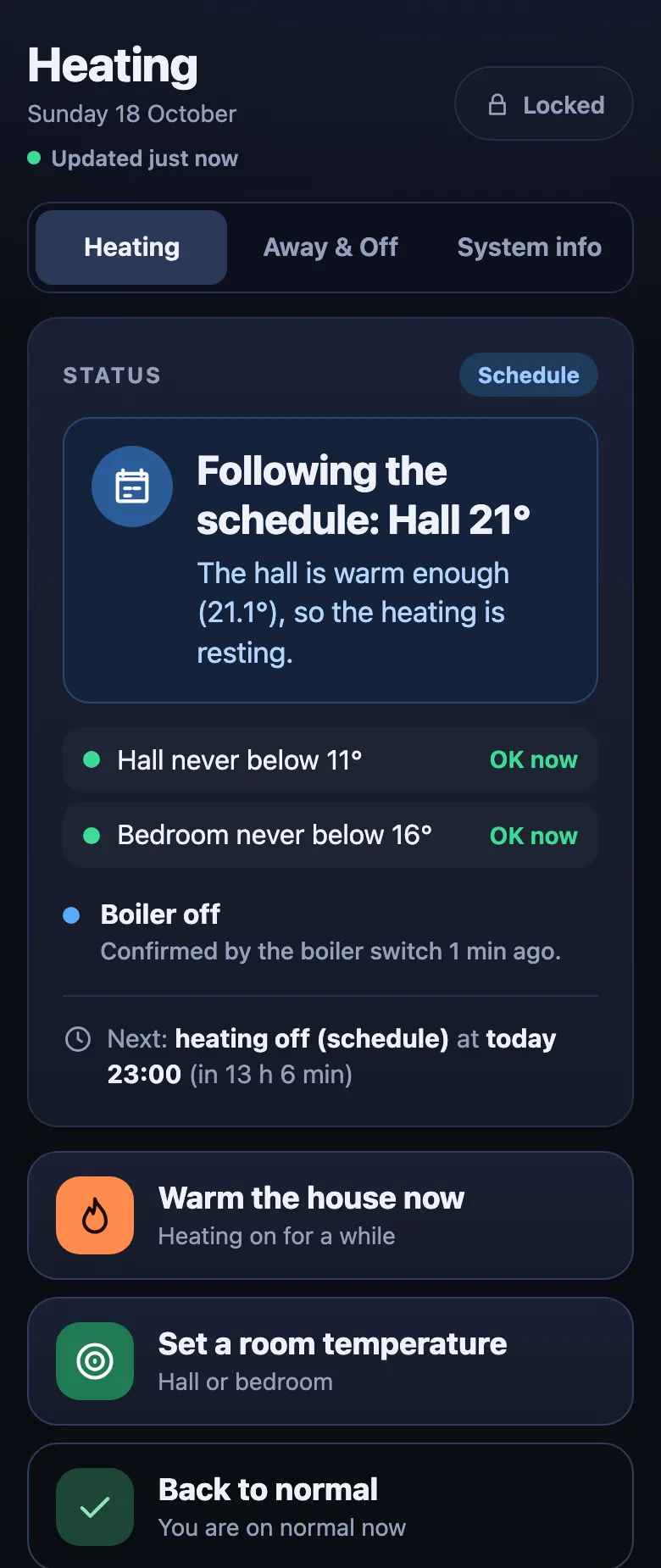
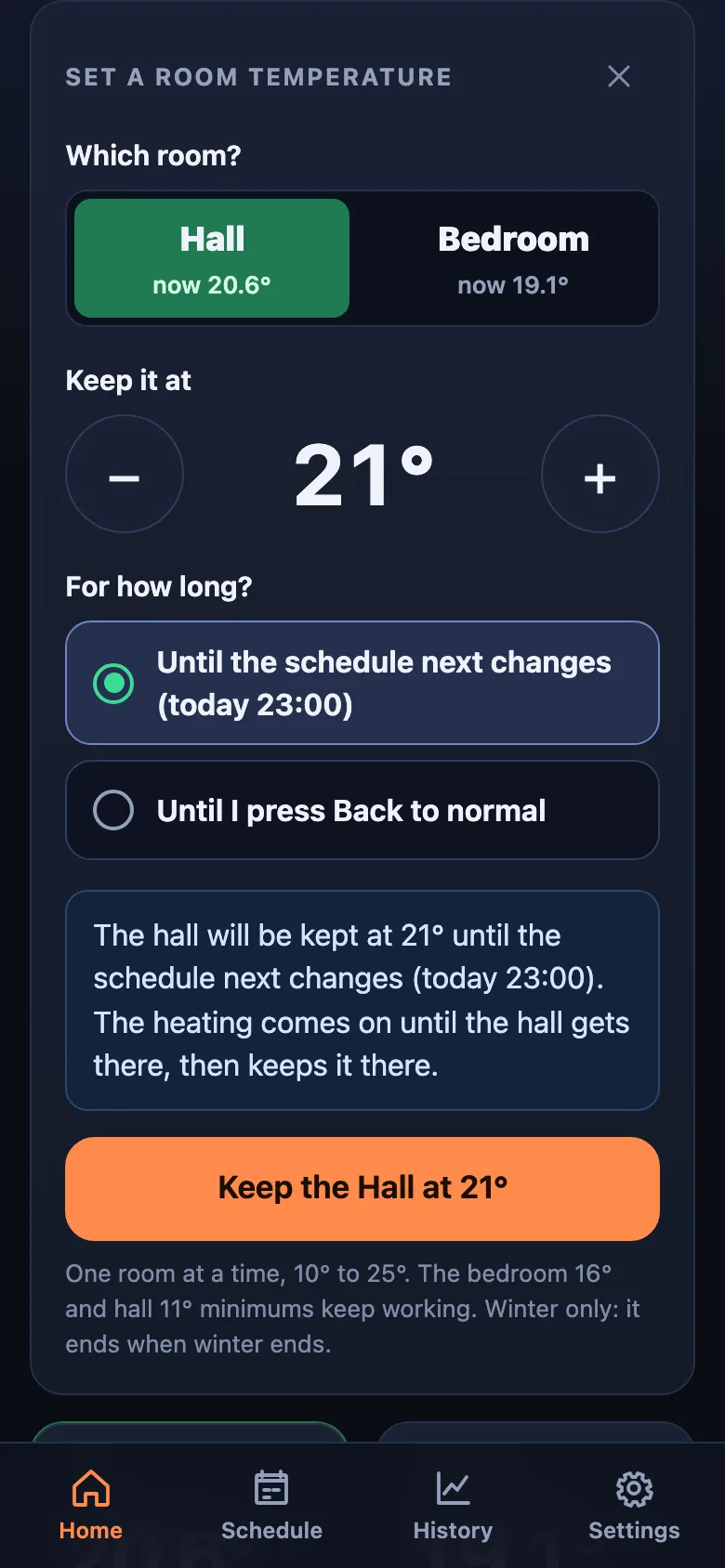
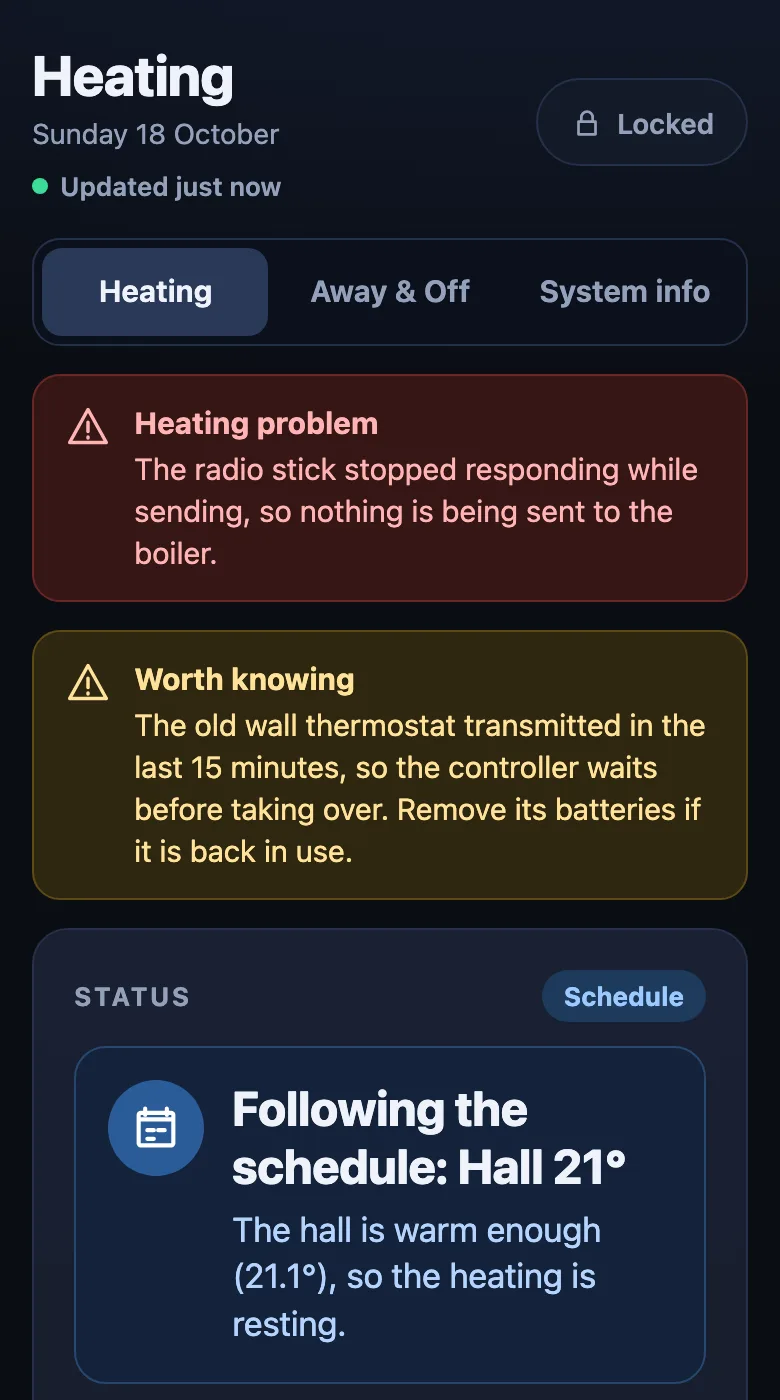
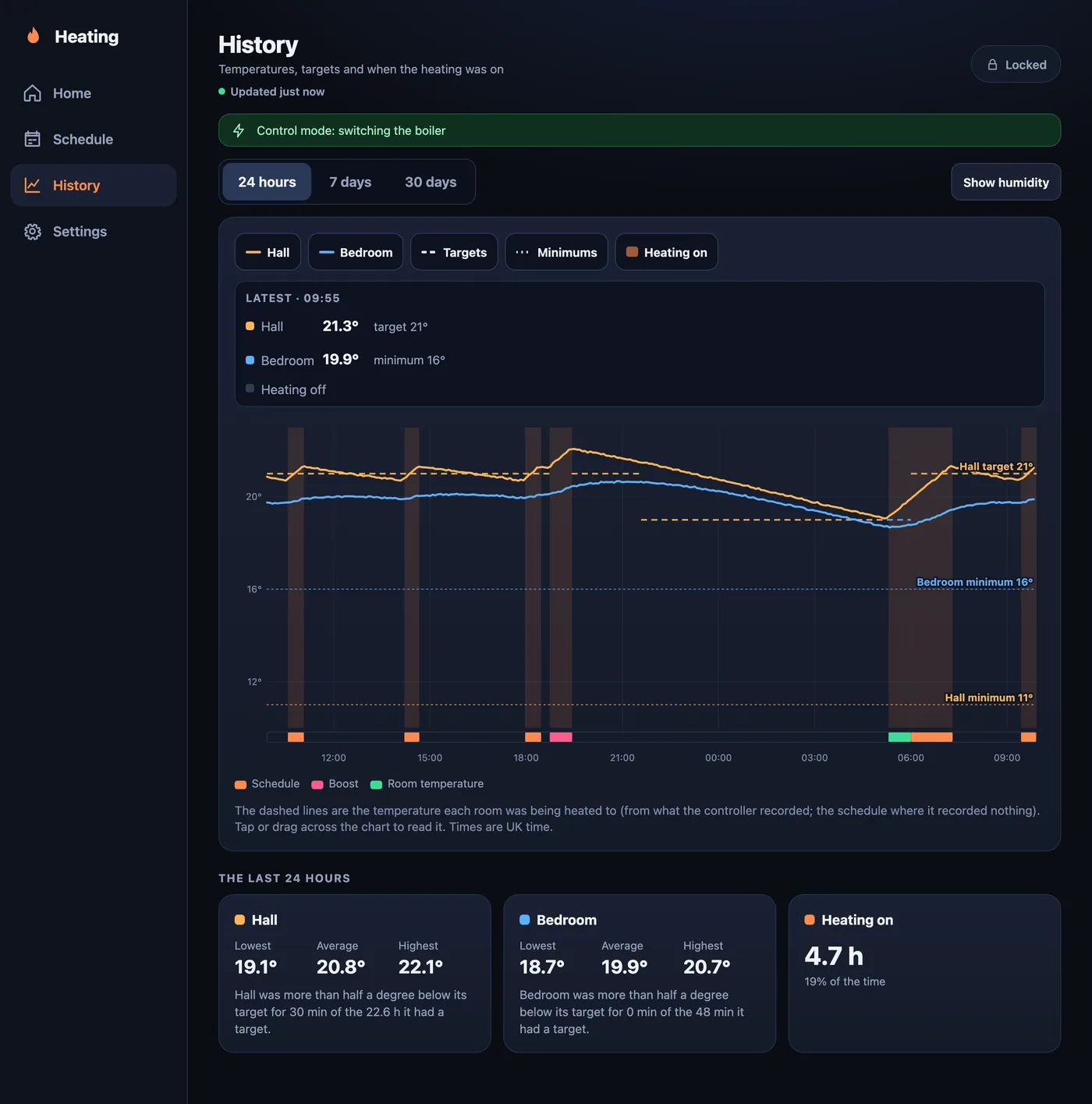
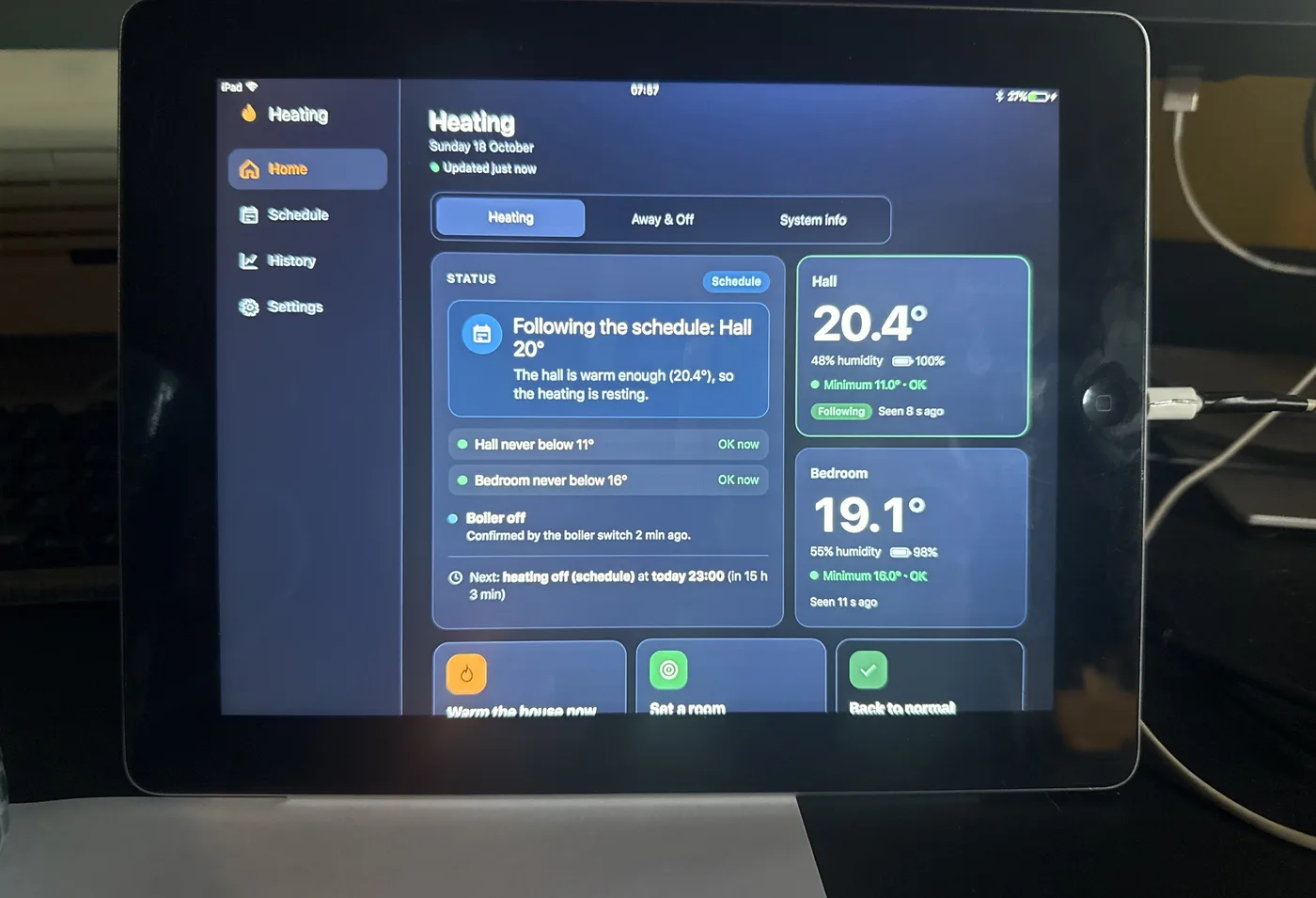
The screenshots, including the History chart, use made-up data.
I also wanted it to work as a wall panel on an old iPad running iOS 10.3.3. The first try loaded and showed nothing, because one line of modern JavaScript made that old Safari reject the whole file without an error. Old browsers now get a second, older copy of the script.
I gave the page an HTTPS address, the padlock in the browser, that only works inside the house. A DNS record points at the server's private address and Let's Encrypt issues the certificate, so the browsers in the house don't warn about the page.
# The circuit board
The circuit board is an updated version of the breadboard. It is the same circuit, with the loose wires replaced by a carrier board I designed in KiCad that holds both modules. The one change to the circuit is the power supply: the board has a 3.3 V regulator chip in place of the breadboard's transistor. Claude Code drafted it and a separate reviewer checked it. The first draft guessed the radio module's pad spacing and order, which would have given a board the module doesn't fit. I measured the module, which has 8 holes 2.00 mm apart, and checked the pin names.
The current revision, A7, is 66 x 36 mm on two layers.
- An MCP1700 regulator chip gives the radio a steady 3.3 V. It is a purpose-made 3.3 V regulator, which the transistor supply on the breadboard was standing in for.
- Resistors on the lines to the radio bring the 5 V signals down to 3.3 V, as on the breadboard.
- A red power LED, and a yellow LED that lights when the radio's GDO2 line is active. A small transistor drives the yellow LED so it doesn't load that signal.
- Round test pads for every signal and the power rails have their names printed beside them. A 6-pin test header gives me a place to clip a meter while the stick runs.
- The radio module sits on an 8-pin header and the Pro Micro in two sockets. The module's antenna end hangs off the board edge, with a short antenna wire soldered straight to it.
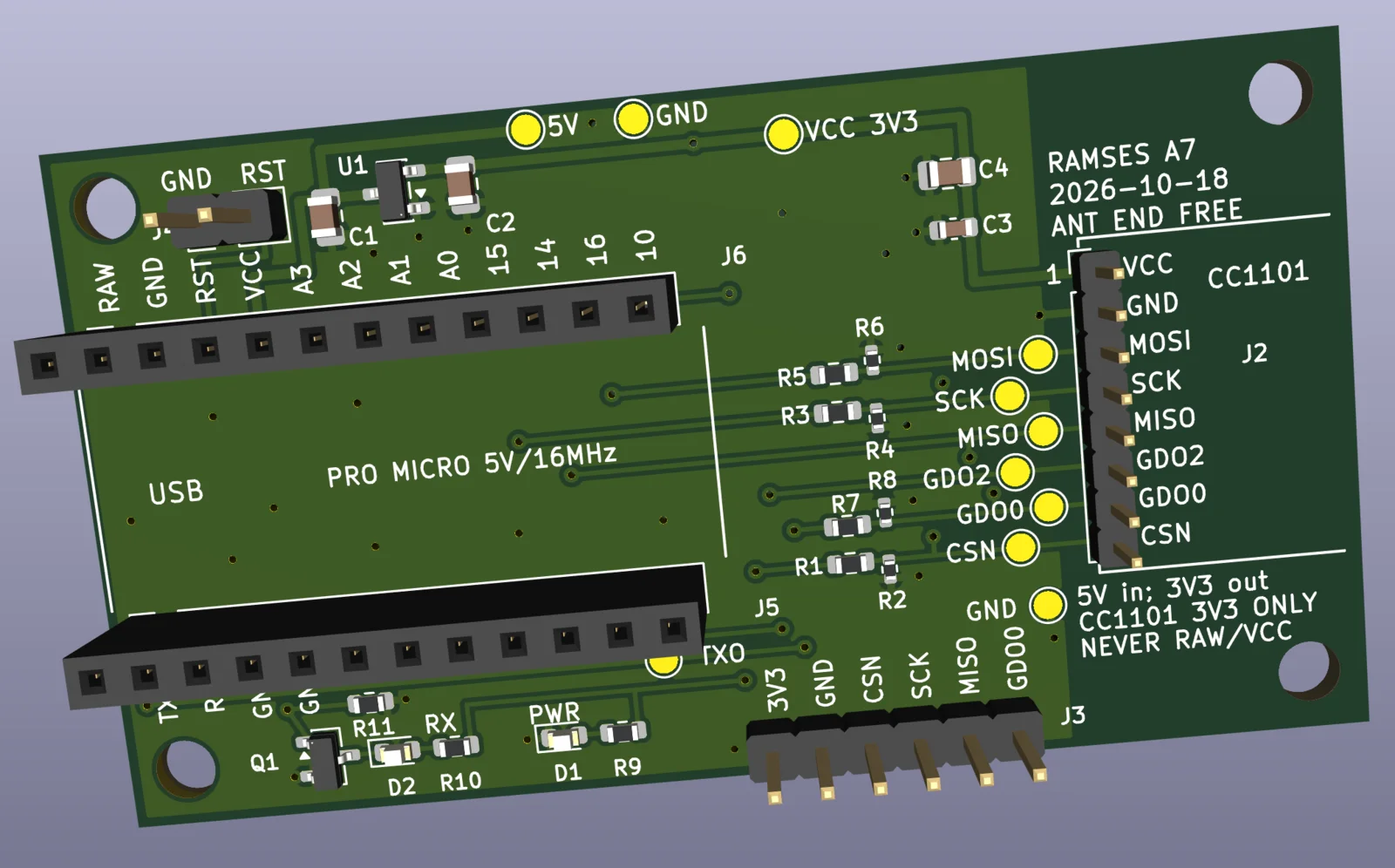
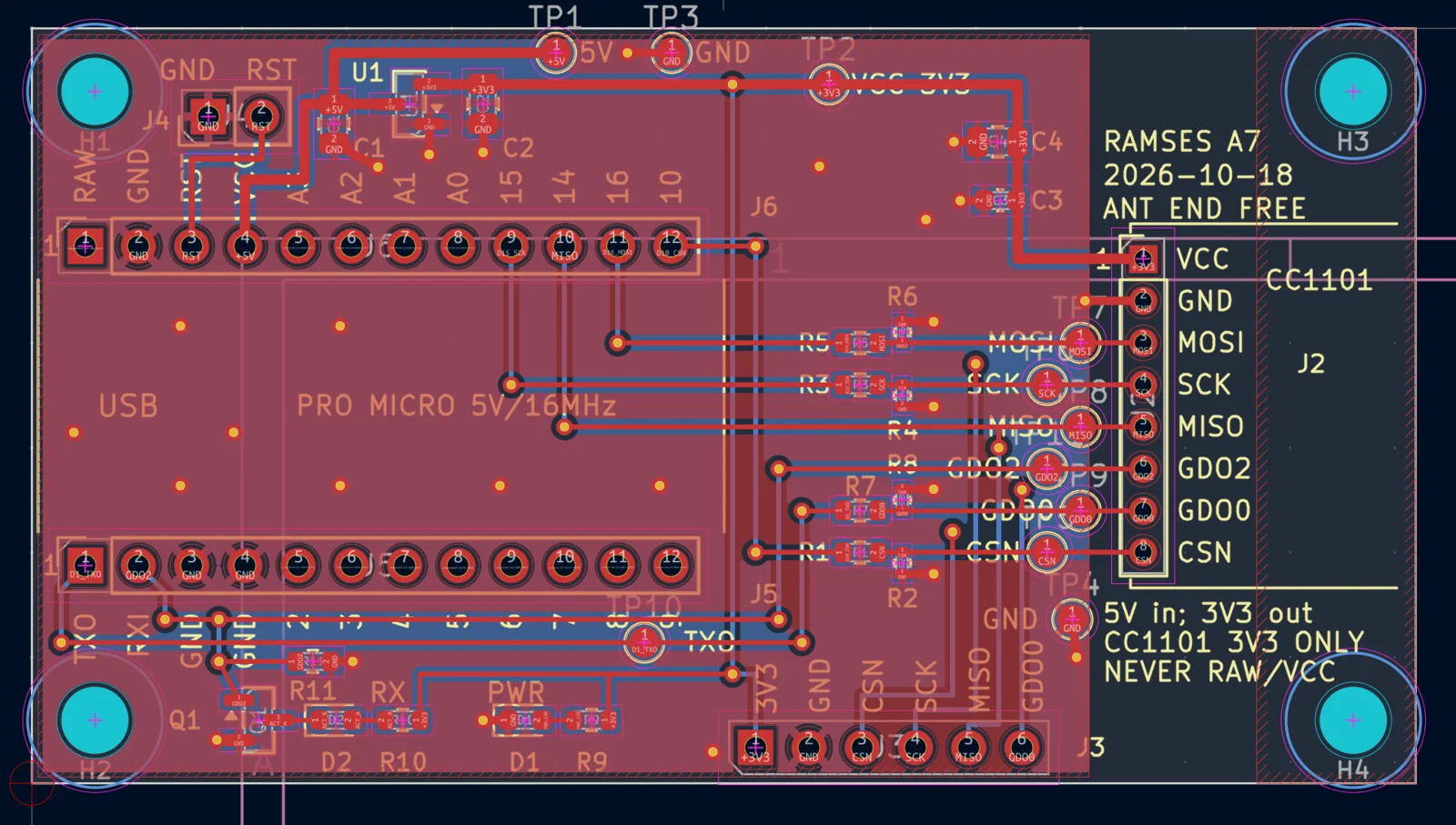
The 3D model has no Pro Micro or radio module on it, only their sockets and header. Its component models come from the KiCad library (CC-BY-SA 4.0 with an exception for published designs). Drag to rotate it and pinch to zoom.
I printed the layout at 1:1 and laid a spare radio module on it. The holes, pin order and outline lined up. I haven't paid for the PCBWay order, which is in their review queue. The first quote was about $37 for 5 boards with assembly, before parts, VAT and duty. I'd solder only the Pro Micro, the module and the antenna.
# Also on the same server
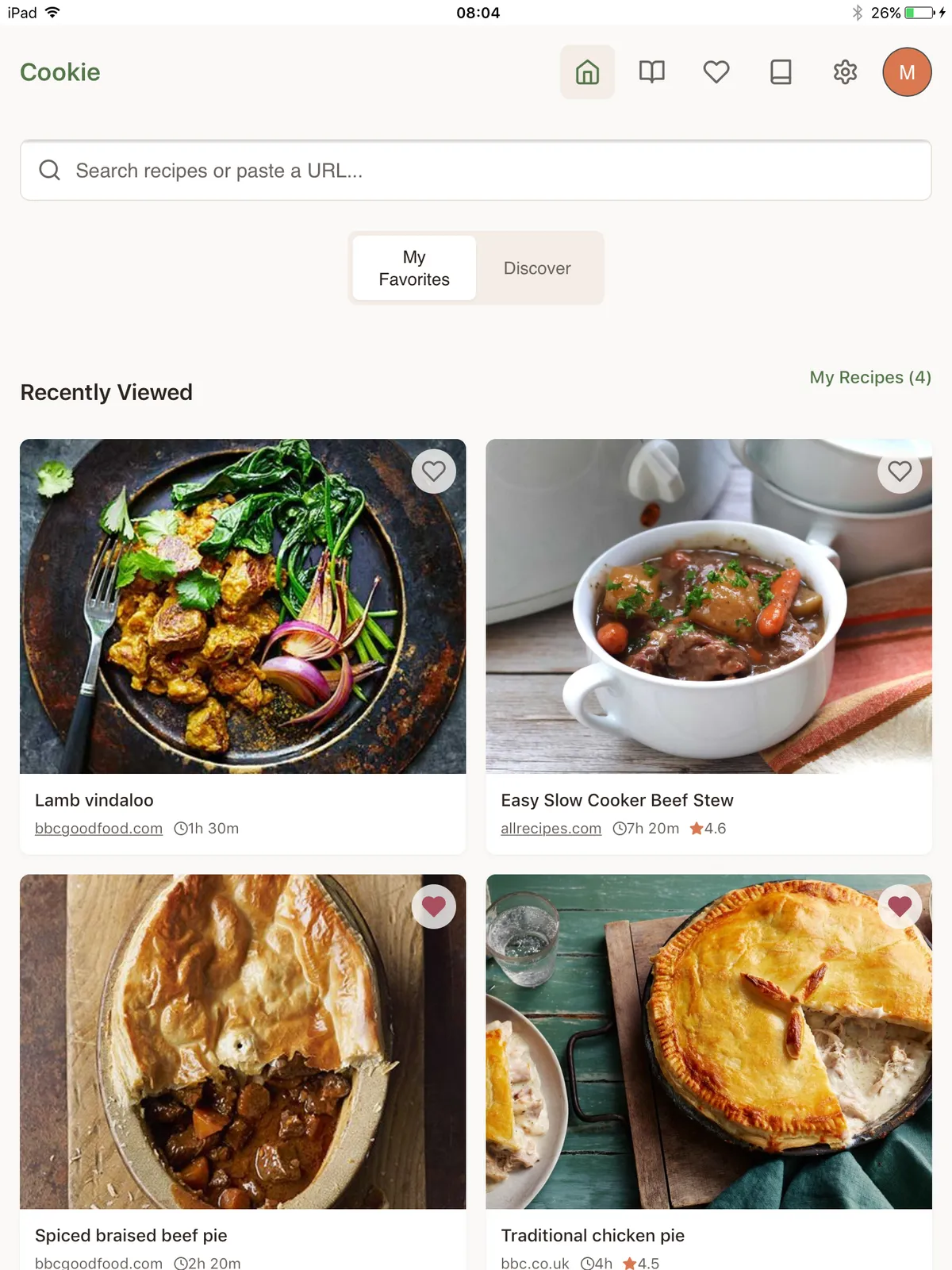
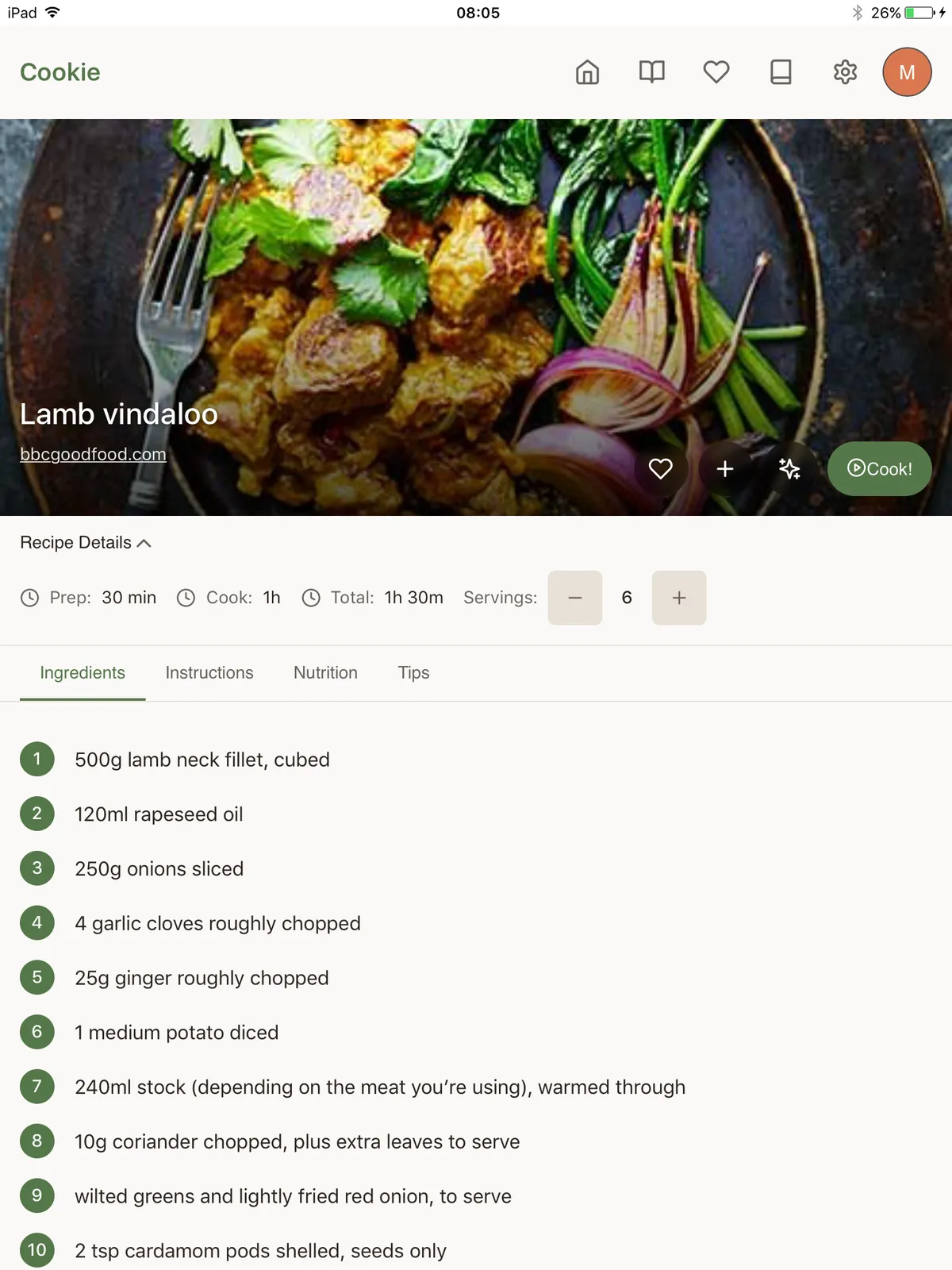
The server also hosts two other things for the house, on their own home-network addresses. Neither answers from outside the house. I brought back my recipe app, Cookie, which is on GitHub, as a container with its own database. It works on the old iPad too.
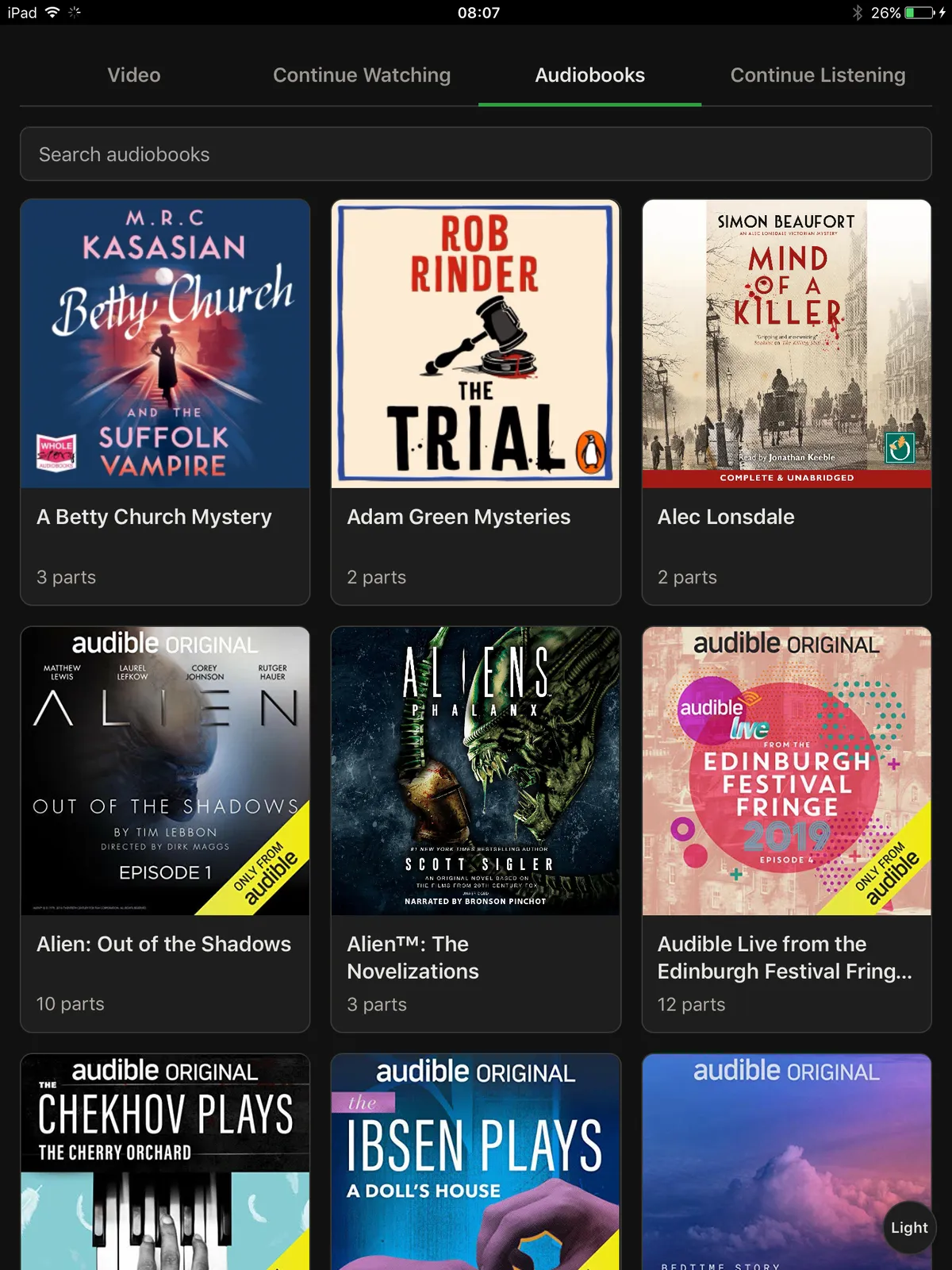
I also added a media player for the old iPads, for audiobooks and DVD rips. It serves plain pages the iPads can open and keeps my place. The audiobooks come from our own accounts, downloaded with Libation.
# Parts
- Pro Micro, the 5 V and 16 MHz version, and a CC1101 868 MHz module with antenna
- S8050 transistor, a few resistors and capacitors, a breadboard and a multimeter
- Two Xiaomi LYWSD03MMC sensors, reflashed
- A home server with USB and Bluetooth, running Homebridge, nginx and Docker