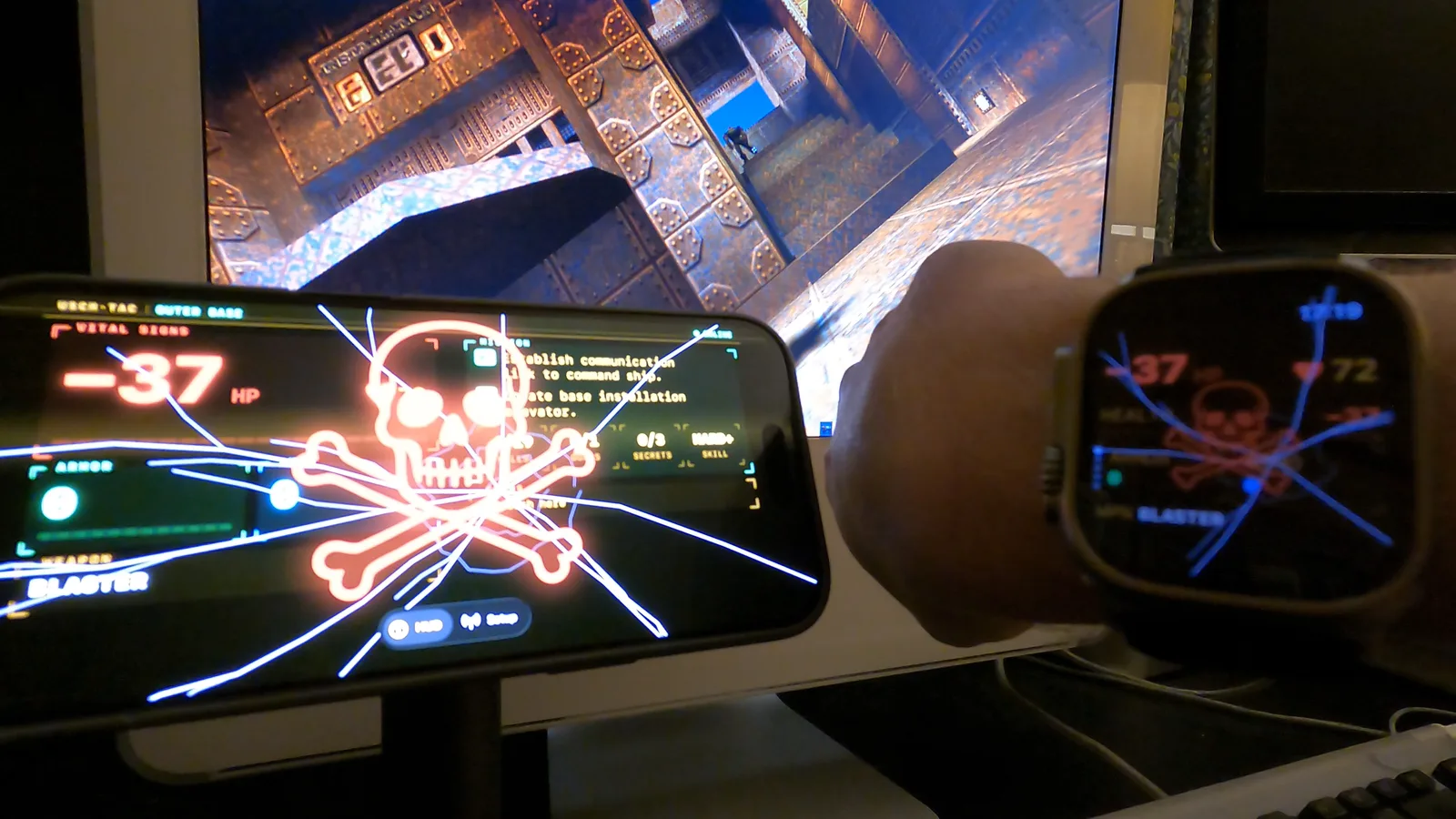
Quake II has a help computer: the F1 screen, styled as the marine's own terminal, showing your health, your mission and how far through it you are. I built that as a real iPhone and Apple Watch app. The code's on GitHub at quake2-tactical-watch. An old Mac running my custom build of Quake 1, Quake II or Quake III streams its live game state onto the network, an iPhone picks it up and relays it to the watch, and the watch renders an amber-phosphor terminal that buzzes when you take damage and plays the game's pickup and pain sounds. It records the whole match as a workout too, so a session of Quake gives you a heart-rate trace and a calorie count.
# How it works
You need three things: a Mac running my latest Quake build, an iPhone, and optionally an Apple Watch. The iPhone does the real work, so the watch is a bonus screen rather than a requirement.
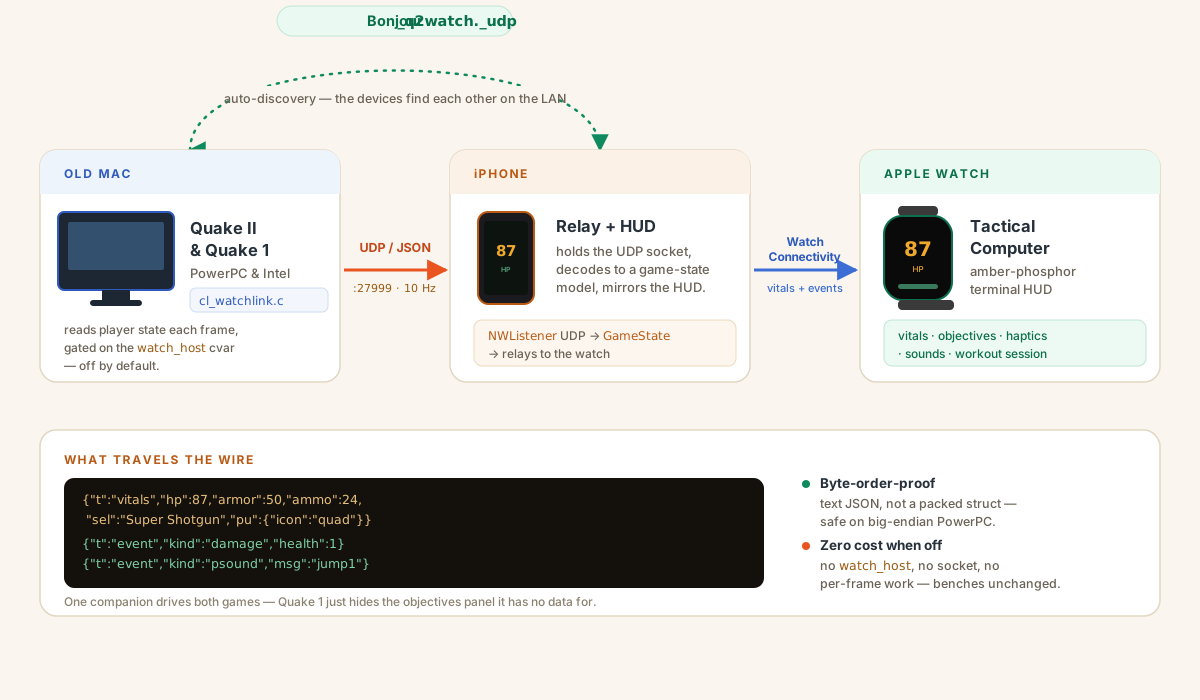
The Mac runs one of my Quake builds: Quake 1, Quake II or Quake III. A small patch in the engine, cl_watchlink.c, reads the player's state each frame and sends it out as a line of JSON over UDP. JSON because these Macs are big-endian PowerPC: a text format stays byte-order-proof and you can watch it with nc -ul 27999. The feed does nothing until you set a watch_host, so the normal build and the benchmarks are unchanged. Set it to auto and the Mac finds the phone over Bonjour (_q2watch._udp), with no IP to type in.
The iPhone holds the UDP socket and relays each line to the watch over WatchConnectivity, while drawing the same HUD on its own screen, which is what you see beside the game in the videos below. The watch does the rendering. The phone sits in the middle because watchOS can open a socket, but background Wi-Fi listening on the watch is unreliable and drains the battery, so letting the phone hold the connection is what holds up for a whole game.
# Watching a game
The game's own sound is turned right down in all three videos. What you can hear is the watch and the phone playing Quake's sounds (the pickup chimes, the pain grunts, the jump) fired off the live event feed as they happen on the Mac.
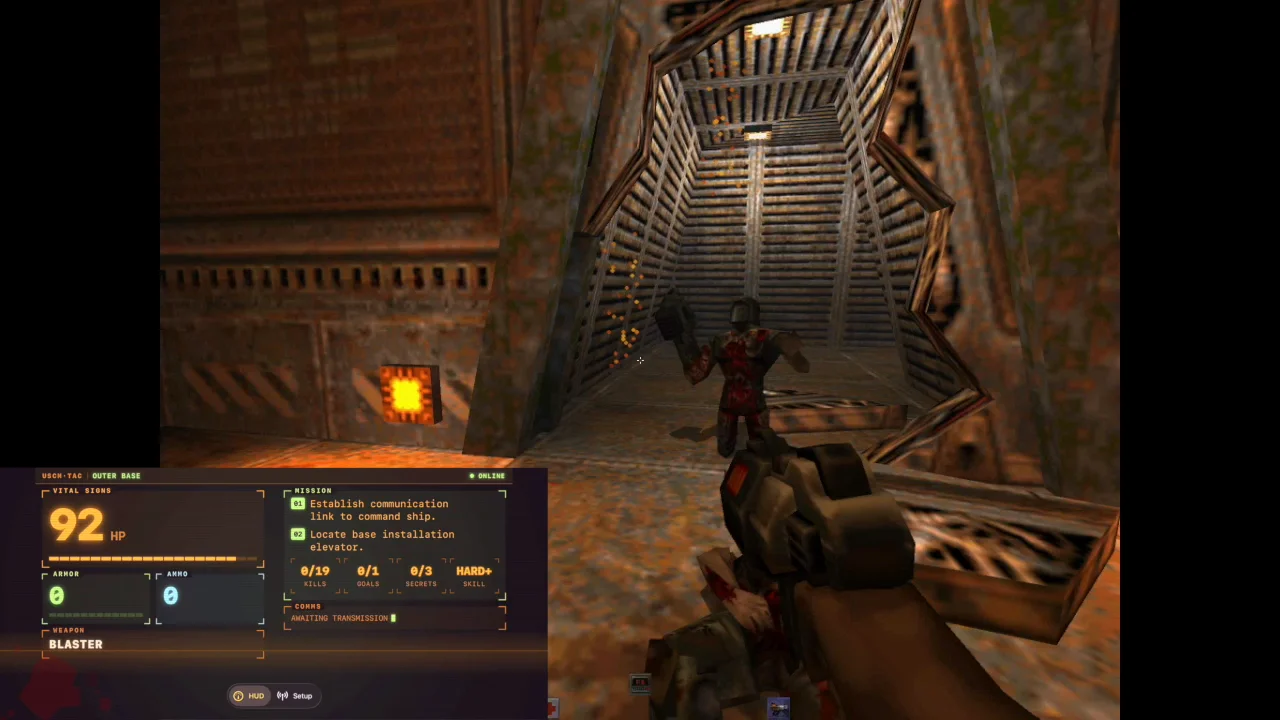
A full game on the 2005 iMac G5, recorded off the Mac's own screen with the iPhone's screen overlaid in the corner in portrait. The gameplay looks a bit choppy because screen-recording is hard work for a G5. On the screen itself it runs smooth. The phone tracks every hit in step with the game.
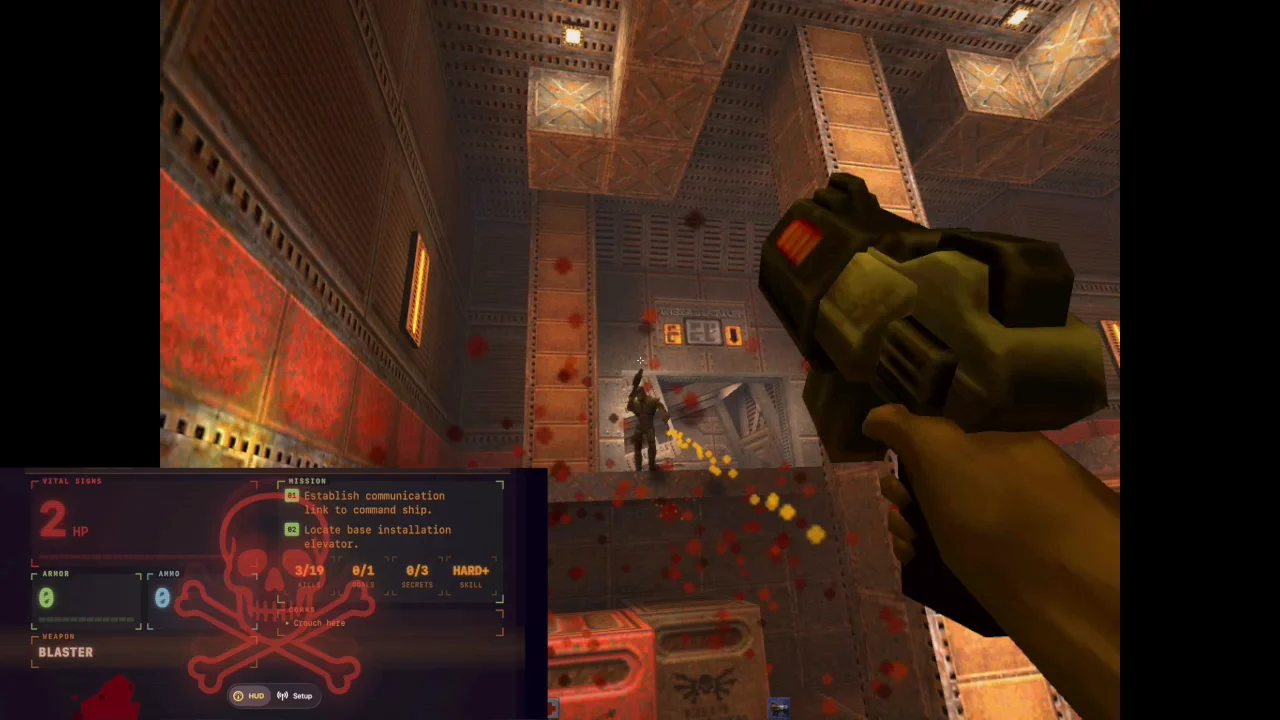
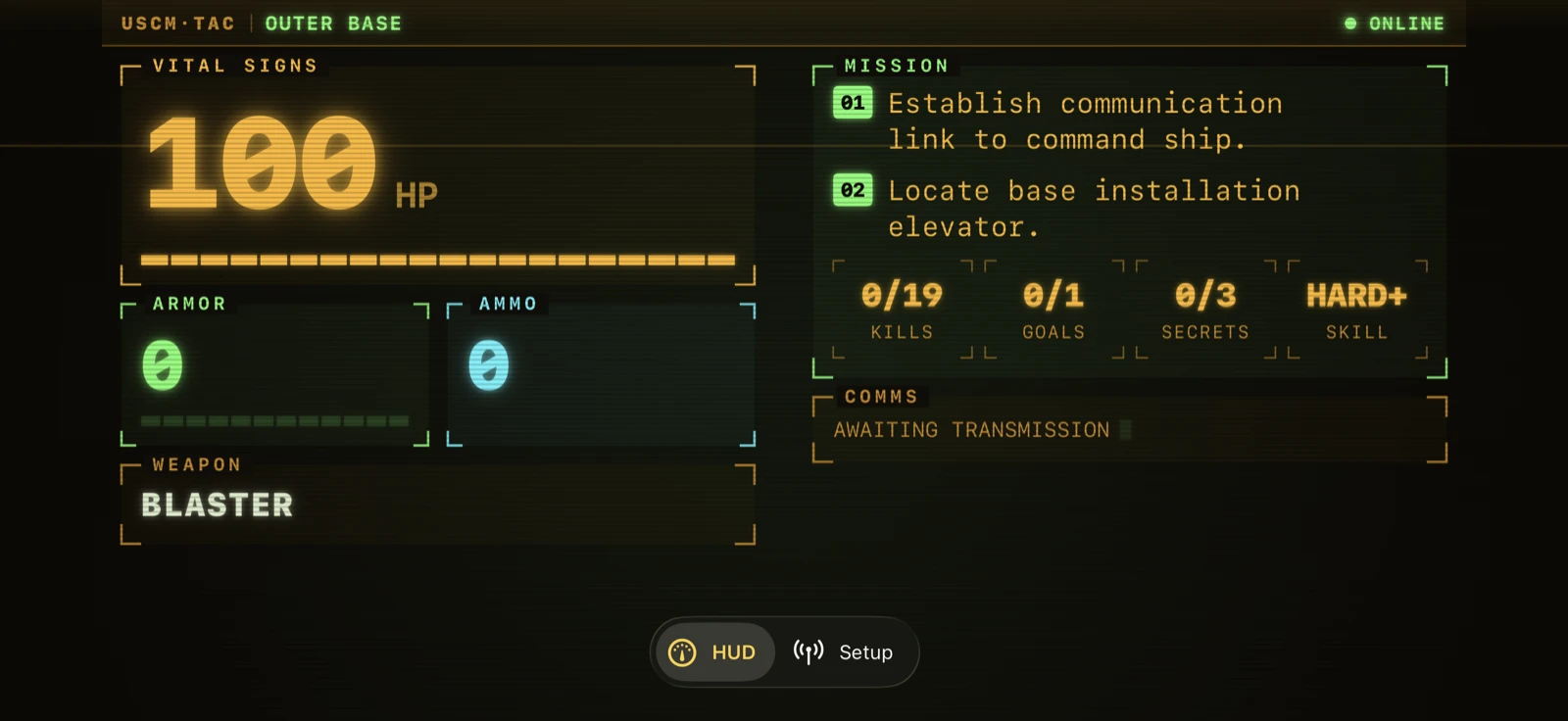
The same setup with the phone in landscape, where the HUD lays out as a wider panel. Watch the health drop into the red and the cracked-glass skull take over when it hits zero.
Filmed on a GoPro so you can see the whole thing at once: the iMac, the phone, and the watch on my wrist. They all carry the same health and mission, and they all flatline together at the end.
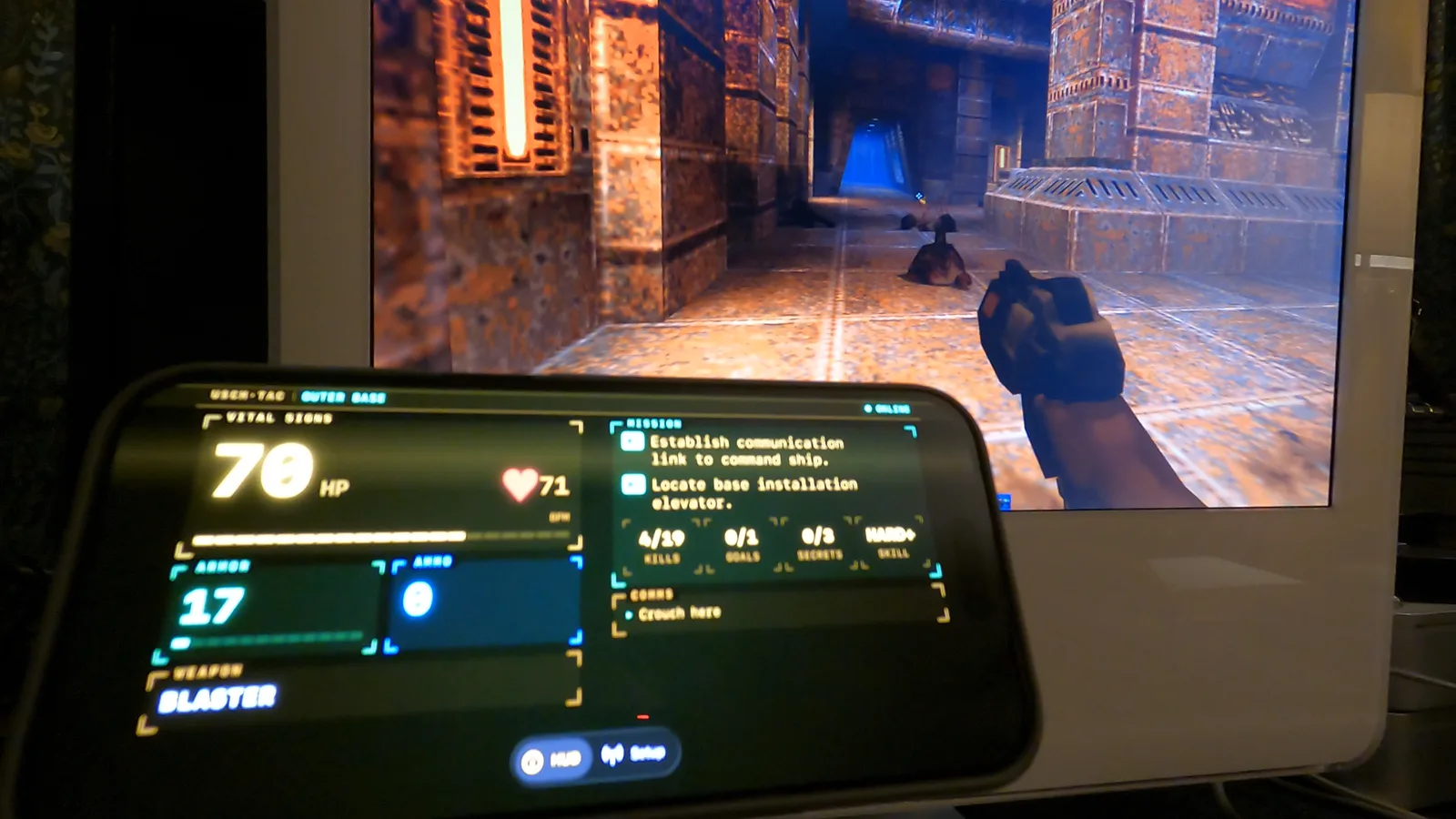
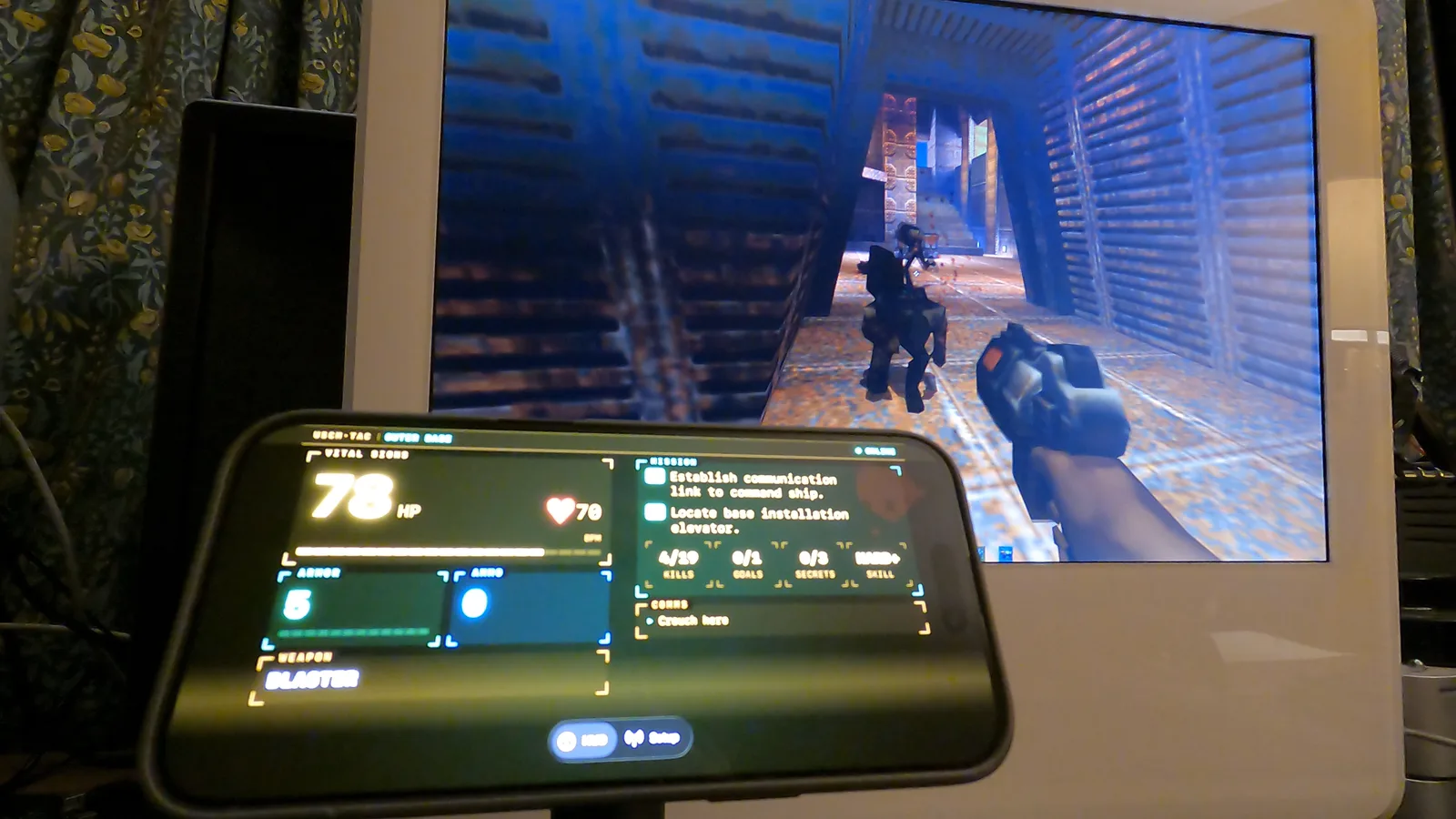
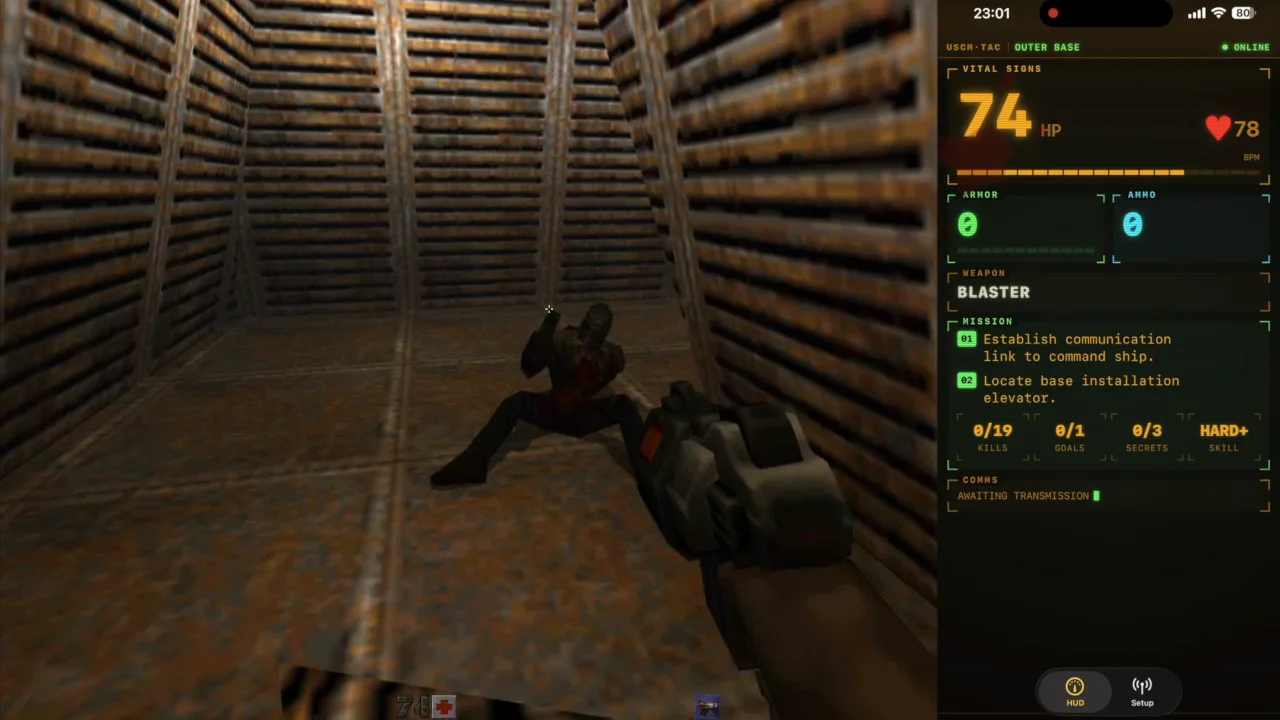
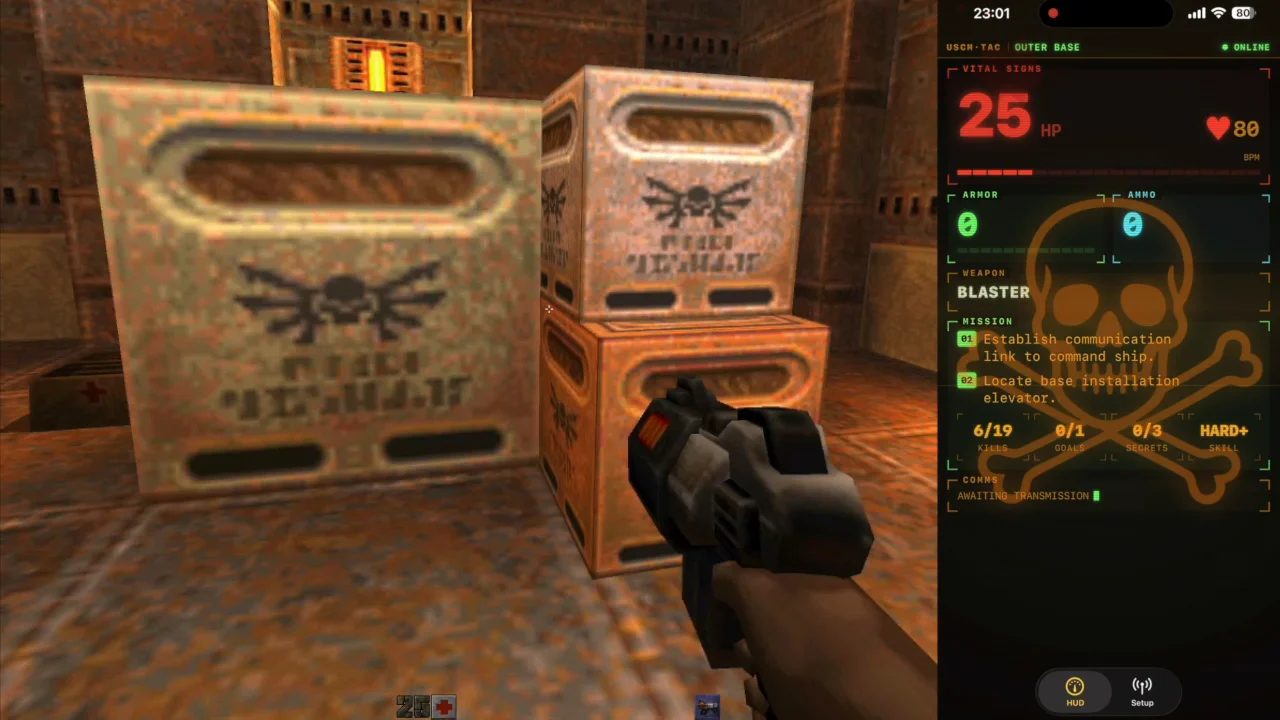
A few stills pulled from those runs. Tap any one for the full-size version.
# The iPhone and watch up close
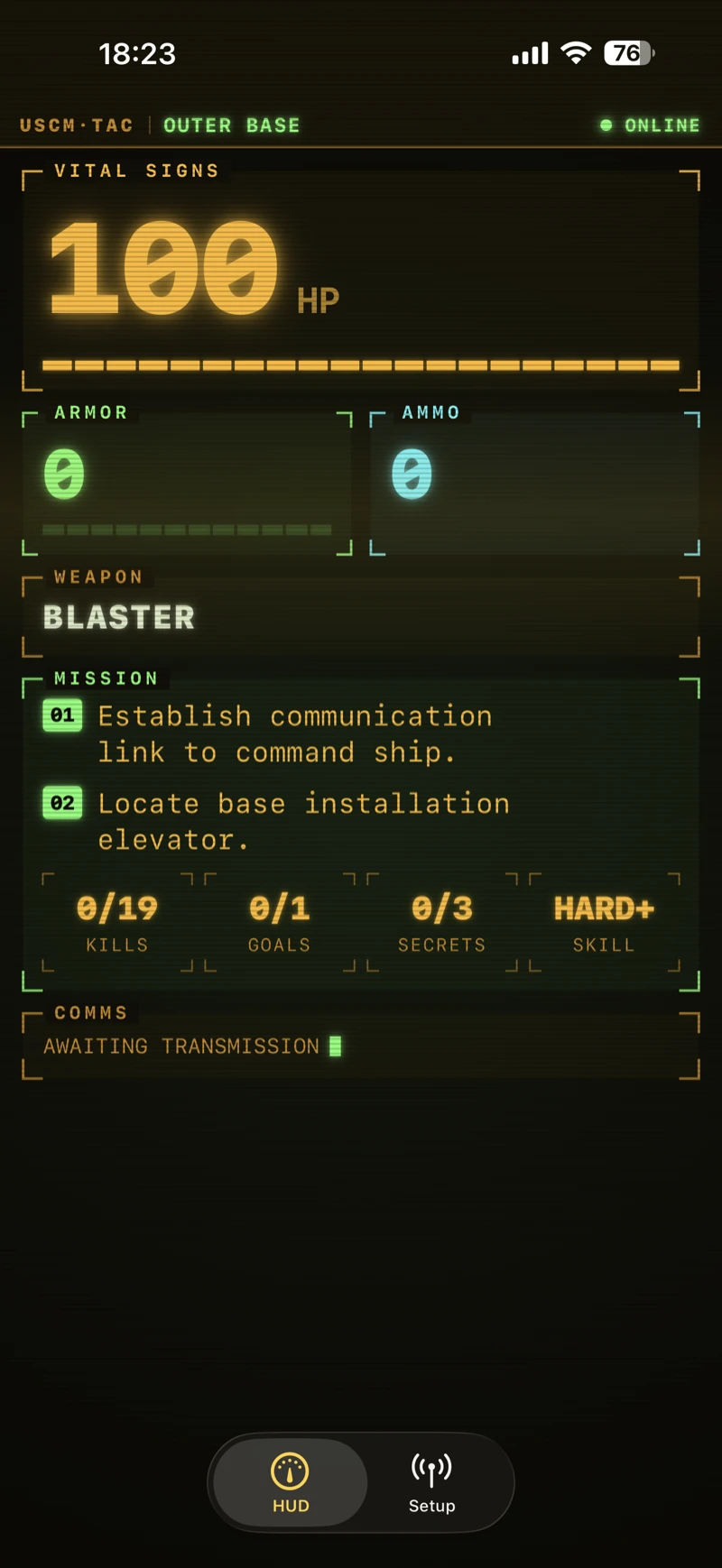
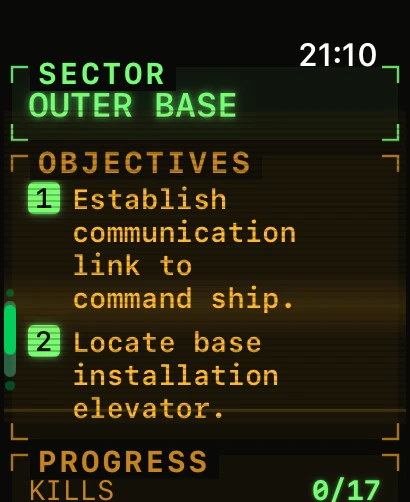
The phone and the watch run the same terminal at different sizes. The look is borrowed from the green CRT readouts the crew squint at in the Alien films, crossed with Quake II's own help computer. It sits on near-black phosphor and isn't locked to one colour. Health glows amber, armour green, ammo cyan, and the whole panel shifts to red as your health drops. Static scanlines lie over the top with a slow refresh sweep rolling down them, and a CRT glitch tears across the screen at random, on a tap, and on every hit, getting more violent the closer you are to dying. Rotate the phone between portrait and landscape and the readouts re-sync with a wobble, like an old monitor catching up with itself.
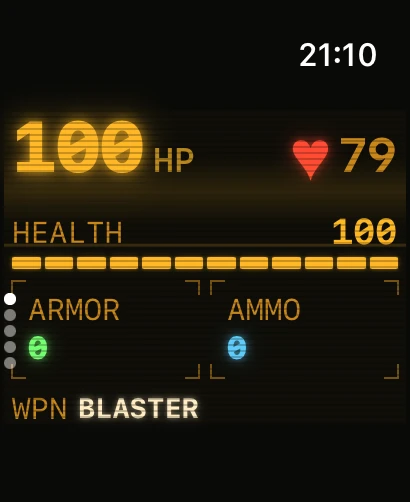
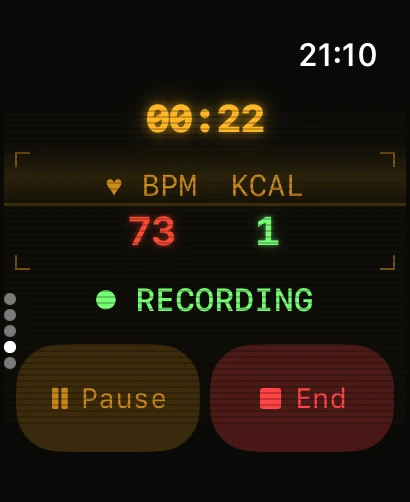
That last one is doing two jobs. watchOS gives an ordinary app no way to stay on-screen. It would drop back to the clock face the moment your wrist dips. The only API that keeps an app frontmost, holds the always-on display and stays interactive is a workout session. So the keep-awake mechanism is a workout: it runs an "Other" session while you play, collecting heart rate and active energy, and saves it to Health when you end the game. It's a by-product, but a useful one: you get to see what a tense fight does to your pulse.
Damage gives you a wrist buzz as well as the red flash, though I leave it off by default. Every watchOS haptic carries a small audible tick that you can't separate from the buzz without putting the watch in Silent Mode, and during a quiet game that got annoying fast. It's a toggle in Settings for when you want it.
Here's the terminal in motion, recorded straight off the iPhone while I play, so you can see the scanlines, the colour shifts and the glitches react to the game:
A minute of play captured directly on the iPhone in landscape. The game's sound is down, so what you hear is the companion firing Quake's pickup and pain sounds. Watch the readouts glitch and turn red as the health drops.
# It supports Quake 1 and Quake III too
My old-Mac QuakeSpasm build and the new Quake III build drive the same companion with no changes. They speak the same JSON on the same port, so the app doesn't need to know which game is on the other end. The one difference is the objectives panel: Quake 1 and Quake III have no F1 help computer, so there's nothing to show there. The watch drops that panel and shows the level with the vitals. Everything else works the same: health, armour, ammo, weapon, powerups, pickups, the damage buzz.
# The engine side
The feed lives in the engine repos rather than this one, behind the watch_host cvar. There's a cl_watchlink.c in the Quake II build, a sibling file in the QuakeSpasm one, and another in the Quake III build, all emitting the same lines:
{"t":"vitals","hp":87,"armor":50,"ammo":24,"sel":"Super Shotgun","frags":3,"pu":{"icon":"quad","sec":18}}
{"t":"event","kind":"centerprint","msg":"You got the Railgun"}
{"t":"event","kind":"damage","health":1,"armor":0,"ammo":0}
{"t":"event","kind":"psound","msg":"jump1"}
There's a WATCHLINK.md with the full wire format, and a 30-line Python listener so you can point watch_host at your dev machine and see the JSON stream without a watch anywhere near it. That let me build and test the whole data side before writing a line of Swift.